Most Shopify stores start with native shipping, and for a while it’s all they need. Then the workarounds start piling up. Another custom rate. Another exception. One more thing for your team to track.
The setup that worked when you launched may be holding you back today. Your catalog has grown, your fulfillment operations have changed, and managing your shipping settings has turned into a job of its own.
This guide covers what happens before the order is placed: the shipping rates, options, and delivery dates shoppers see from the product page through checkout. You’ll learn the five signs that you’ve outgrown Shopify’s native shipping, what’s causing each one, and how to find the right integration for your store.
Want to see it play out first?
-
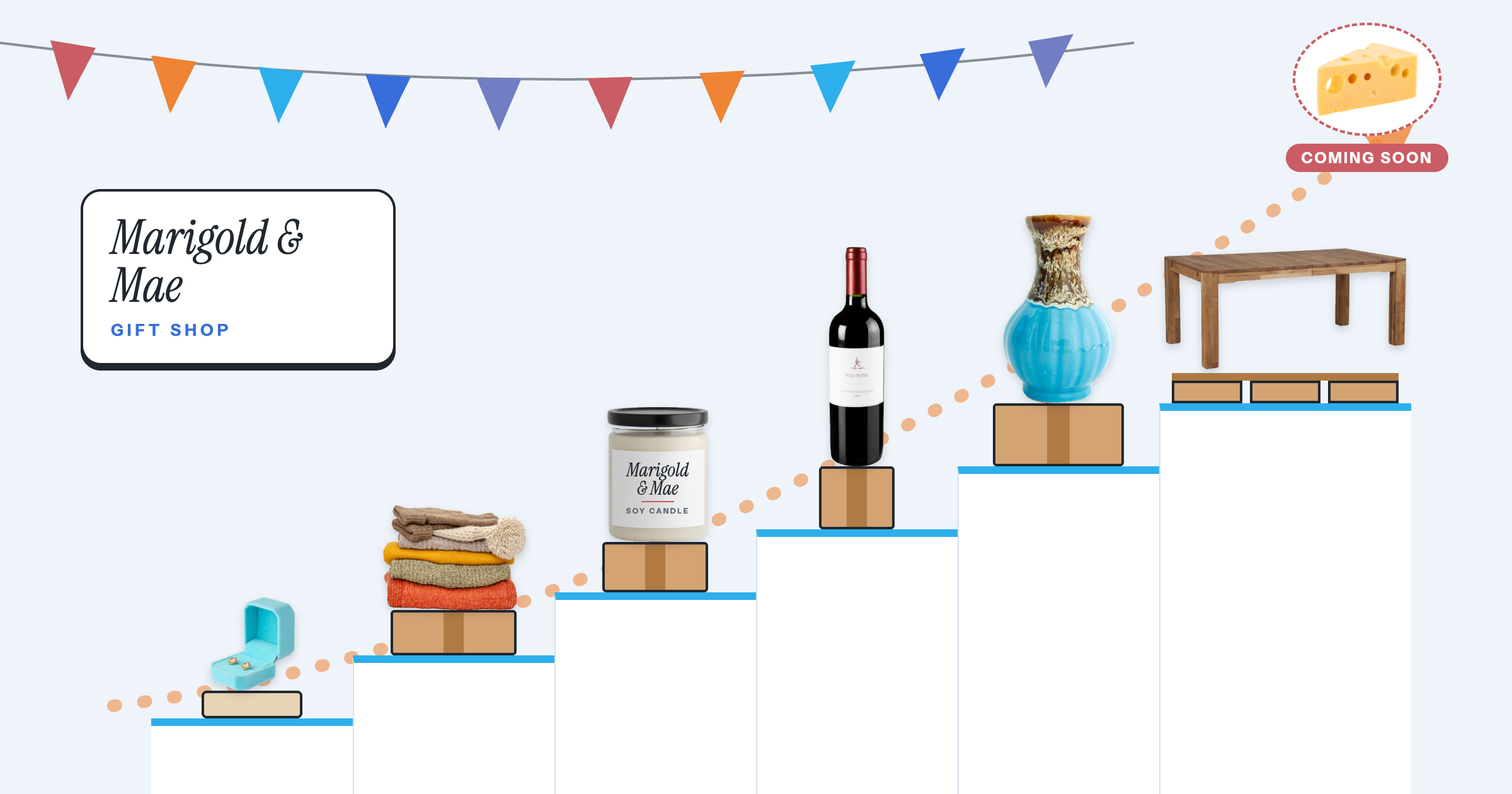
See how this works for DTC → A gift shop that added wine, ceramics, and furniture
-
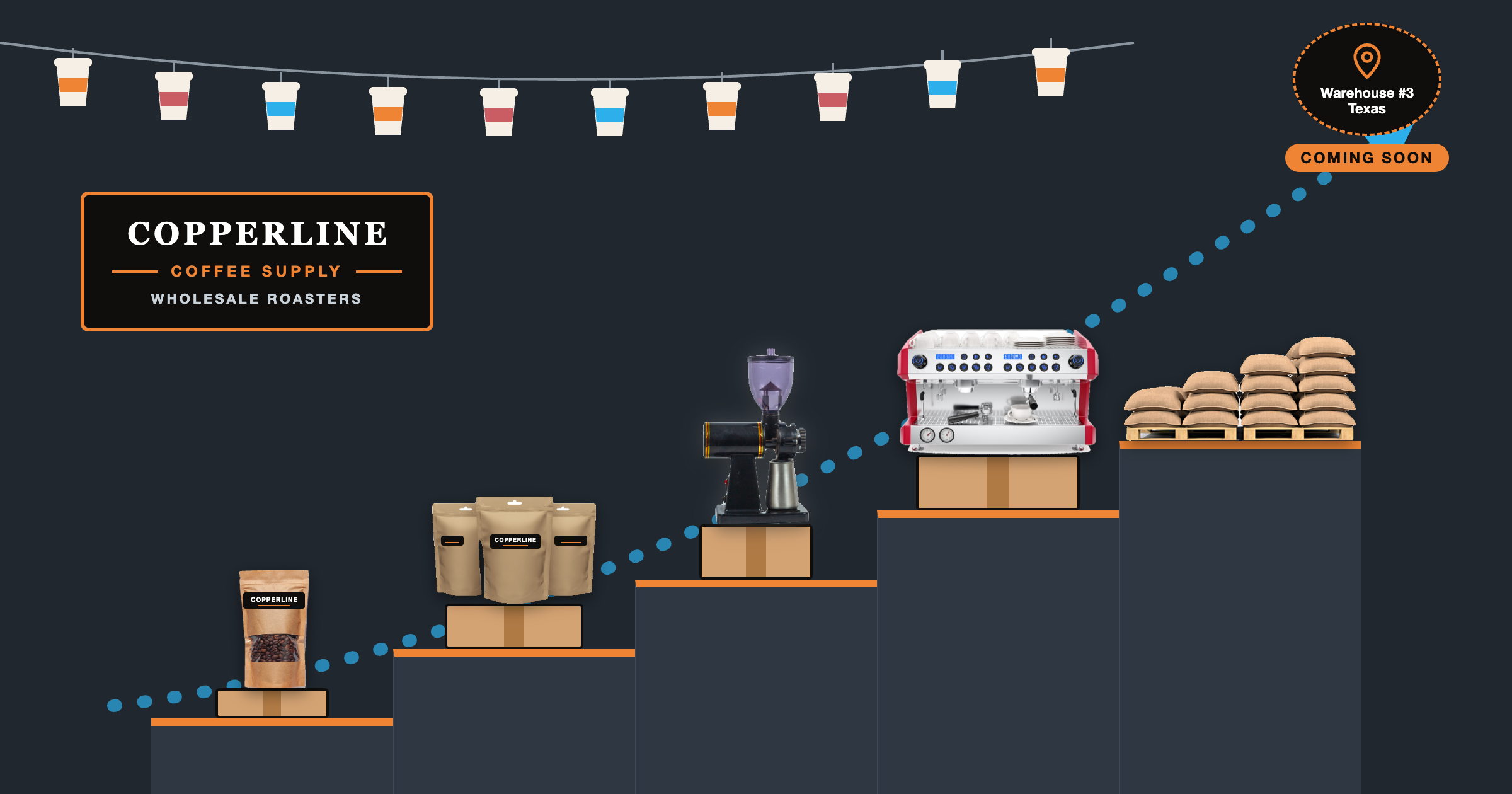
See how this works for B2B → A coffee supplier that grew from one roastery to 200+ cafés in all 50 states.
Key Takeaways
Shopify’s native shipping works well for small businesses with simple shipping needs, like standard products that ship in standard boxes.
For stores with more volume or complexity, ShipperHQ offers more control over the checkout shipping experience.
Businesses with special requirements, like those selling big and bulky products, regulated goods, perishables, or bulk orders need more accurate rates and delivery dates at checkout than native shipping can give them.
ShipperHQ extends Shopify with 100+ carrier integrations (including 30+ LTL freight carriers), table rates you can update in bulk, accurate box packing, more flexible shipping rules, and more configurable delivery dates.
If shipping influences the purchase decision, treat it as a core part of the buying experience, not a back-end setting.
When Is Shopify’s Native Shipping Enough?
Shopify supports flat, order-amount, weight-based, and carrier-calculated shipping rates with the major carriers. If you ship products in flat-rate envelopes or standard packaging, those options are often all you need.
Native shipping works until your order volume grows, or your shipping needs get more complex. Maybe your orders ship in more than one box, and checkout rates them as a single default box. Maybe some orders ship parcel and others ship freight, and you’re quoting freight by hand after checkout. Or maybe your wholesale customers need different shipping options than everyone else. These are just a few of the scenarios that cause your Shopify checkout to show rates, options, or delivery dates that don’t match how your orders actually ship.
And it adds up fast: overcharge and shoppers abandon their carts; undercharge, and you pay the difference. Every missed delivery date or manual re-quote means more work for your team. That’s when you know it’s time to look beyond native shipping for a solution that can handle real-world shipping complexity.
Five Signs You’ve Outgrown Shopify’s Native Shipping
If any of these sound familiar, your checkout probably no longer matches your fulfillment, and you need more from your Shopify shipping app.
ShipperHQ gives Shopify merchants more control over shipping rates and delivery options, with live rates from 100+ carriers (including 30+ LTL freight carriers), bulk rate tables, flexible carrier rules and restrictions, and highly configurable delivery dates. Here are five signs you’ve outgrown Shopify’s native shipping, what’s causing them, and how ShipperHQ can help.
Fair warning: this part gets pretty nerdy. If you’d rather skip the details and get a straight answer for your store, talk to our shipping experts.
Sign 1: Checkout rates regularly differ from your carrier invoices
If your checkout rate doesn’t reflect how your warehouse packs the order, you pay the difference.
Carriers charge by dimensional weight (how much space a package takes up) whenever it’s higher than the actual weight. So the box size used at checkout has to be right.
What’s happening underneath: Since September 29, 2026, Shopify packs each shipment into the smallest saved box that fits. But it can’t split a shipment across multiple boxes or follow packing rules like “ship separately.” When no saved box fits an order, or the order ships in more than one box, Shopify falls back to your store’s default package. That leads to wildly inaccurate rates and a charge for you to eat when the carrier invoice arrives.
Getting the setup right takes work, too. Shopify doesn’t let you bulk-import or bulk-edit product package details, so you manage packaging one box at a time. And Shopify only accounts for package size if you’ve added saved boxes and packed product dimensions.
As one automotive-parts merchant put it: “[The] inaccurate Shopify shipping for multi-item orders due to lack of true dimensional packing result[ed] in incorrect box selection and rates. [We] needed checkout rates that match warehouse packing reality.”
How ShipperHQ fixes it:
ShipperHQ’s dimensional packing uses a best-fit packing algorithm and your packing rules to pack each order the way your warehouse does. Four wheels can always ship as four separate boxes, while brake pads pack 10 to a master carton. You can add boxes one at a time or import your full box list from a CSV file. In fact, you don’t even need saved boxes to get started. ShipperHQ can estimate package size from the product dimensions in the order, so you can still get dimension-based rates without setting up a single box. Either way, the carrier gets a realistic package configuration to rate, so the cost shown at checkout aligns much more closely with the final shipping charge.
Sign 2: Orders shipping freight get an inaccurate rate, or no rate at all
If you’re quoting freight by hand after checkout, you’re adding work and putting orders at risk.
What’s happening underneath: Shopify doesn’t directly integrate with any less-than-truckload (LTL) freight carriers. Unlike parcel shipping, LTL rates depend on details like freight class, pallet dimensions, and accessorial services such as liftgate delivery, and Shopify can’t capture them. Furniture, equipment, and large B2B orders end up with a flat rate or a request-a-quote form.
One industrial-equipment seller watched a $500 product’s checkout total jump to $1,700 once freight was quoted manually. That’s a difficult conversation to have after a customer has already decided to buy.
How ShipperHQ fixes it:
ShipperHQ’s LTL freight feature shows live rates from 30+ LTL carriers at checkout, with accessorials like liftgate and residential delivery priced in. Working with a carrier that isn’t integrated? Upload your freight rates as table rates and show them at checkout just like live rates. You can show freight alongside parcel options or switch to freight automatically when an order passes a weight or size threshold. Customers see the real freight cost before they buy.
Sign 3: Updating your rates takes hours
If changing your rates means editing them one by one, small updates turn into big projects.
What’s happening underneath: Shopify lets you set custom rates by weight or order price for each shipping zone. But there’s no native way to upload or download table rates in bulk. Every rate is entered and updated by hand, so when carrier costs change, or you start shipping to a new region, someone has to work through each one.
Say your carrier raises rates in January. With dozens of rates across your shipping zones, that’s an afternoon of manual edits and plenty of room for mistakes.
How ShipperHQ fixes it:
ShipperHQ’s table rates let you export your rates to a spreadsheet, make changes, and import them back in one step. You can set rates by destination, product, weight, quantity, customer group, and more. And because table rates sit in the same platform as your live carrier rates, shipping rules, and box packing, you don’t need a separate app just to manage your rate tables.
Sign 4: Every new shipping requirement means another custom build
If every new requirement means another custom build, your setup is slowing you down.
What’s happening underneath: Shopify can set rates by weight, order value, destination, product, and fulfillment location. Rules by carrier, customer group, or item quantity aren’t built in, so stores turn to custom code to fill the gap. That means waiting on developers for every new rule, and updating that code whenever Shopify changes how shipping works, like the recent move from shipping profiles to shipping options by market. That’s how stores end up with shipping and checkout logic nobody wants to touch.
Say your wholesale customers get free ground shipping on orders of 20 units or more. Shopify’s native settings have no rule for that.
How ShipperHQ fixes it:
ShipperHQ’s shipping rules adjust, hide, or show methods based on carriers, quantities, freight class, or Shopify customer tags (like VIP or wholesale customers). You build a rule once and apply it to every scenario it fits. That could be a wholesale shipping method, a surcharge for certain cart items, a carrier restriction for products in a restricted product group, or limiting perishables to overnight and 2-day methods.
Sign 5: Delivery dates unexpectedly disappear from checkout
Customers need delivery dates they can trust, and Shopify’s native dates break down on complex orders.
What’s happening underneath: Shopify’s automated delivery dates only cover orders that can ship right away and are predicted to arrive within five days in the US, Canada, or New Zealand (four days in Europe). Everything else falls back to manual delivery dates, which use one store-wide fulfillment time and a fixed 12 p.m. cutoff, with no setting for product lead times or blackout dates. Delivery dates don’t work with negotiated FedEx-calculated rates, and if one rate at checkout can’t show a date, Shopify hides dates for every rate.
That costs sales: 92% of consumers consider delivery windows when deciding to buy, according to Capital One Shopping Research.
How ShipperHQ fixes it:
ShipperHQ’s Delivery Date and Time lets you set lead times, cutoffs, blackout dates, and transit-time limits by origin, carrier, or product group. A made-to-order item can get a longer lead time without changing the rest of the catalog, so customers see more accurate delivery estimates at checkout and you improve your on-time delivery rate.
How International Military Antiques Stopped Re-Quoting Shipping After Checkout
International Military Antiques, a Shopify Plus merchant, sells everything from small medals to heavy antique firearms. Its previous setup couldn’t reliably distinguish those products, so checkout rates didn’t reflect what orders actually cost to ship.
Now ShipperHQ calculates dimensional packing rates for each order based on products’ dimensions, weight, and IMA’s own packing rules. As IMA CEO Alex Cramer explains, the company no longer needs to contact customers after checkout to update their shipping quotes.
If shipping influences the purchase decision, it deserves the same attention as the rest of your checkout. Book a demo to see how ShipperHQ can support your Shopify shipping setup, or start a free trial to test it against your catalog.

FAQs
Does Shopify support LTL or freight shipping?
No. Shopify doesn't integrate with LTL freight carriers or capture freight class and accessorials like liftgate, so freight items get a flat rate or a request-a-quote form. ShipperHQ connects 30+ LTL carriers to Shopify checkout and prices those accessorials in, so customers see the real freight cost before they buy.
Does Shopify calculate dimensional shipping rates?
Partly. Since September 29, 2026, Shopify packs each shipment into the smallest saved box that fits, as long as every product has a packed size entered. It can't split a shipment across multiple boxes, follow packing rules like "ship separately," or pack pallets. ShipperHQ's dimensional packing handles multi-box orders, packing rules, and pallets, and lets you import boxes in bulk by CSV, so checkout rates match how the warehouse packs.
Can I import Shopify shipping rates from a spreadsheet?
Not natively. Shopify's custom shipping rates are created and updated by hand, with no built-in CSV import or export. ShipperHQ's table rates let you manage rates in a spreadsheet and import them in bulk, with rates set by destination, product, weight, quantity, customer group, and more.
Does Shopify add residential surcharges at checkout?
No. Shopify doesn't detect whether an address is residential or commercial, so checkout can't add the surcharge carriers bill for home deliveries. That surcharge runs $6 to $7 per package in 2026, according to ShipperHQ internal data, and you absorb it when checkout leaves it out. ShipperHQ detects the address type and prices the surcharge into the checkout rate.
What is the best shipping integration for Shopify?
The best shipping integration for Shopify calculates checkout rates the way your orders really ship. It packs multi-item carts into the right boxes, quotes LTL freight live, makes rates easy to update in bulk, applies shipping rules by carrier and customer group, and shows delivery dates customers can count on. That keeps the shipping you collect in line with what you pay the carrier, without manual re-quotes after checkout.
ShipperHQ does all of this in one platform, using your own negotiated rates and 100+ carrier integrations, including 30+ LTL freight carriers.
Does Shopify support B2B shipping integrations?
Shopify supports negotiated carrier-calculated rates through connected carrier accounts, but its native shipping settings can't set rules by customer group or item quantity. B2B shipping requirements such as customer-specific methods, volume-based shipping charges, or different rules for wholesale accounts generally require a shipping integration app. ShipperHQ supports rules based on customer groups, quantities, products, and destinations.
What's the difference between Shopify Shipping and a shipping integration app?
Shopify Shipping is Shopify's built-in service for buying and printing shipping labels, often at Shopify-negotiated rates. Carrier-calculated shipping is the separate feature that shows live rates at checkout. A shipping integration app adds capabilities such as freight quoting, table rates, dimensional packing, conditional rules, and more configurable delivery dates. You can keep using Shopify Shipping for labels and fulfillment while ShipperHQ handles shipping calculations at checkout.
What Shopify plan do I need to use a shipping integration app?
Apps such as ShipperHQ that return rates during checkout require Shopify's third-party carrier-calculated shipping feature (Shopify Help: Third-party carrier-calculated shipping). It's included with Shopify Advanced and Plus. Shopify Grow can add it for a monthly fee, or you can get it with annual billing. ShipperHQ is not supported on Shopify Basic because that feature is unavailable.
Give Shoppers the Choice.
Keep the Margin.
ShipperHQ compares live rates across your carriers and shows shoppers their options, whether that's cheapest, fastest, or both.