

Replatforming isn't something merchants do on a whim. It usually starts with a specific breaking point… maybe your current platform can't handle your SKU count, or your dev team spends more time patching workarounds than shipping new features, or your licensing bill just jumped to a place where, well, a place where finance wants answers.
Once you hit that wall, replatforming lands on the roadmap. Then what?
If a platform migration is on your task list, it can feel overwhelming. You're juggling timelines, stakeholders, and a launch date that's already circled on the calendar. The good news: you can replatform without rebuilding your shipping setup from scratch. The better news: ShipperHQ was built to integrate with every major eCommerce platform, as well as custom setups.
ORIGIN expected shipping to be one of the hardest parts of its move to Shopify. "We were bracing to rebuild years of custom shipping rules from scratch," said Justin Parker, Director of Ecommerce at ORIGIN. Instead, they carried their shipping setup into the new platform without rebuilding those rules from the ground up. Read the full ORIGIN story.
Whether you're using a native platform tool or already using ShipperHQ, we want this to be a resource that makes your platform migration smoother and faster. Here are seven things worth confirming before your shipping setup follows you, or doesn't, to your new platform.
-
Shipping logic that only exists as native settings doesn't move with you during a migration. It needs to be rebuilt on the new platform's terms.
-
For many businesses, there are hidden costs of relying solely on default platform shipping. The top three are dimensional weight charges, additional handling fees, and residential surcharges that aren't accounted for by native shipping settings.
-
Native shipping has a real ceiling. It's a legitimate choice for a small, simple catalog, and a genuine liability for a larger or more complex one.
1. Scope Out Your Shipping Requirements
Before you migrate, figure out how much of your shipping setup can actually come with you. Carrier accounts may transfer easily, but shipping rules, rate logic, packaging settings, and service configurations often need to be rebuilt if they live inside the platform.
The difference matters most the moment you decide to move. Shipping-as-configuration travels with you. Shipping-as-platform-feature gets rebuilt every time you switch, on whatever terms the new platform's native settings allow.
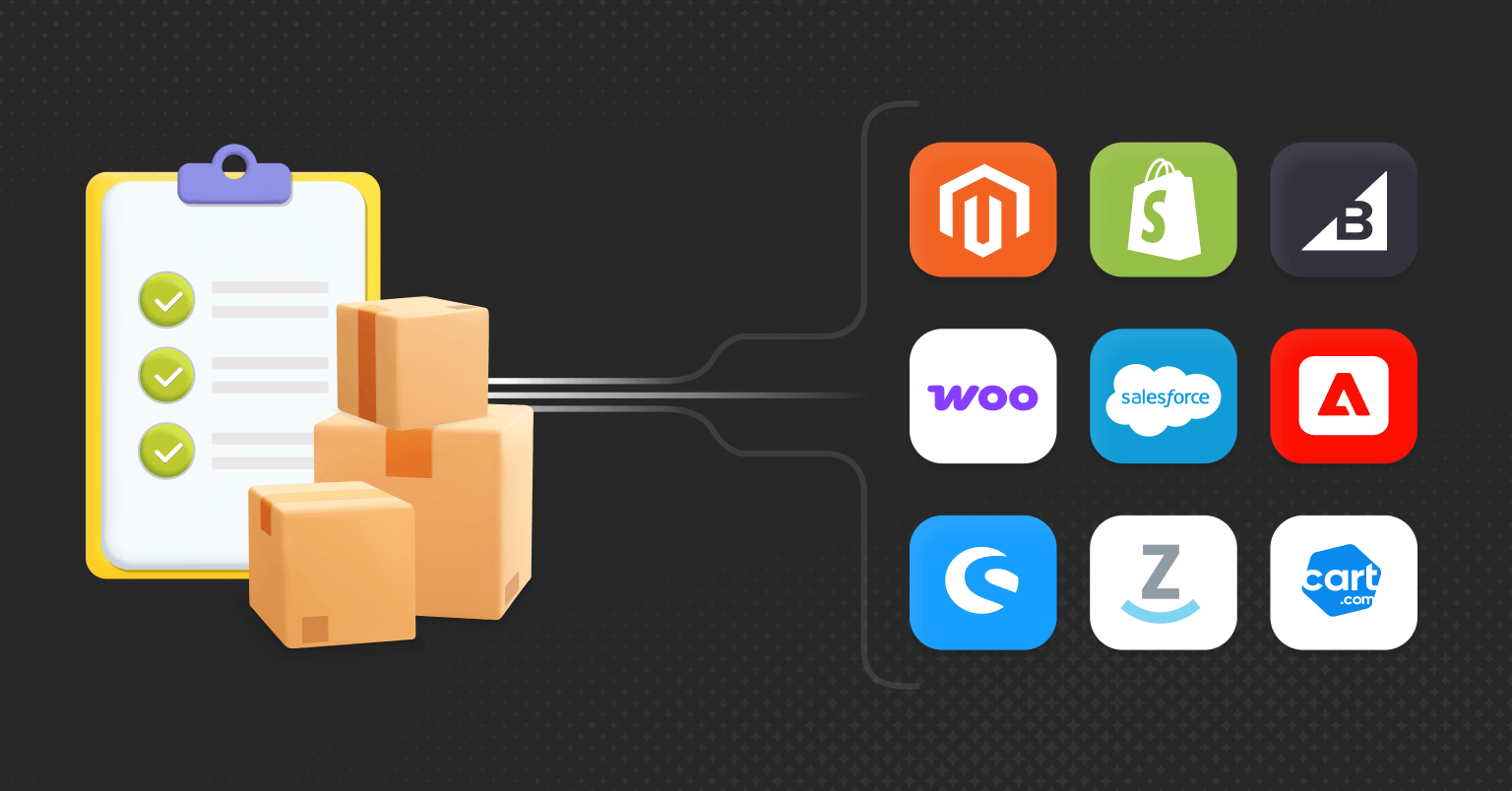
ShipperHQ works the same way across Shopify, BigCommerce, Adobe Commerce, Magento, Salesforce Commerce Cloud, and WooCommerce, so the setup itself is the thing that migrates. ShipperHQ will also do the setup and migration for you. So if you're using ShipperHQ, or want to try it out for free, stop reading and go do that.
Talk to a Migration Specialist and let our team handle the shipping side of your migration for you.
"ShipperHQ literally just handled our shipping migration to Shopify. It was the easiest part of our entire migration. Who wants to sit there thinking about shipping? ShipperHQ exists so that we don't have to." - Justin Parker, Director of Ecommerce, ORIGIN
Read the ORIGIN customer story
2. Check Integration Depth and Ongoing Platform Compatibility
A shipping integration needs to do more than work on launch day. It also needs to stay compatible as the ecommerce platform changes its APIs, checkout requirements, and shipping capabilities over time. That second part is where a lot of bolt-on apps quietly break.
ShipperHQ has native integrations built specifically for Shopify and BigCommerce, and both are actively maintained against each platform's own roadmap. When Shopify or BigCommerce ships an update that touches shipping, ShipperHQ stays compatible with it, so you're not stuck waiting on a fix. The same approach carries across Adobe Commerce, Magento, Salesforce Commerce Cloud, and WooCommerce.
If you're evaluating any shipping solution as part of a migration, this is the question to ask directly: is the integration built for the platform you're moving to and actively maintained, or is it a workaround that happens to function right now?
3. Price Dimensional Weight, Not Just Actual Weight
Dimensional weight is the shipping cost carriers calculate based on a package's size, not just what's inside it, and carriers bill whichever number (actual or dimensional) is higher. Shopify's native shipping, and most platforms like it, rate by total cart weight rather than real product dimensions, so multi-item orders get rated against a generic store-default package instead of what's actually in the box.
This isn't the kind of error you'd notice on any single order. Depending on the setup, inaccurate dimensional rating can mean undercharging or overcharging for shipping. At volume, even a small gap between the rate shown at checkout and the carrier's actual charge can turn into thousands of dollars a month. The gap is often around $2 per order on average, which works out to roughly $2,000 a month on just 1,000 orders. Dimensional Packing prices the actual package, not a default guess.
Eagle Mountain Flag and Mr. Shrinkwrap each save roughly $1,000 a month by calculating accurate rates upfront instead of absorbing the gap between quoted and actual shipping cost.
4. Classify Residential vs. Commercial Delivery Automatically
Carriers charge different rates for residential and commercial delivery. If your checkout can't tell the difference at the point of quoting, the surcharge never makes it into the rate the customer sees. That leaves you either absorbing the extra cost or trying to recover it somewhere else after checkout.
Native platforms generally rate every delivery the same way regardless of address type, which means a residential delivery billed on a commercial quote collects a rate that never accounted for the fee the carrier is about to charge. Advanced Shipment Details classifies this at checkout, before the rate is ever shown to the customer.
5. Get Live Freight Rates, Not a Flat Guess
No live LTL rates at checkout means freight ships on a flat rate or a manual quote. As a result, on a heavy or oversized item, one bad estimate can wipe out a significant share of the margin on that order.
Freight is also more complex to rate than standard parcel shipping. The final cost can depend on factors like freight class, shipment dimensions and weight, origin and destination, and accessorial requirements such as liftgate service.
This is where big-and-bulky and LTL merchants either win or lose the migration. Native checkout logic wasn't built with freight in mind, and it shows the moment a catalog includes anything too large for standard parcel shipping.
"Sales of our heaviest products are up infinitely as we hadn't had a solution to offer LTL shipping to our customers prior to implementing ShipperHQ. We could not be happier." - Kevin Comerford, President, Mr. Shrinkwrap
6. Shop Rates Across Carriers Instead of Shipping on Autopilot
Without rate shopping across carriers and methods, every order ships on whatever's configured, not necessarily the lowest-cost service that still meets the requirements of that shipment.
The cheapest option can change from order to order based on destination, package size and weight, delivery speed, carrier service area, and the rates you've negotiated. A carrier that wins for a lightweight residential shipment may be more expensive for a heavier package going to the same ZIP code.
Rate shopping compares the eligible services for each shipment and lets you choose the best-fit option instead of defaulting to the same carrier or method every time.
At 2,500 orders a month, even a few dollars in avoidable shipping cost per shipment compounds quickly.
What "Just Use Native" Can Actually Cost You
Here's a simplified example. Say you run a home and garden store doing 2,500 orders a month, including patio furniture and grills, and you migrate to Shopify.
If multi-item orders are rated against a generic default package, some shoppers get overcharged while you absorb the difference on others. If freight orders rely on flat rates instead of live LTL pricing, even a $20 or $30 miss on a heavy item can add up quickly. And if just 1 or 2 percent of shoppers walk away because of the shipping cost or delivery date they see at checkout, that's 25 to 50 lost orders a month.
Add those leaks together, and the annual impact can easily reach tens of thousands of dollars.
That store is fictional. The numbers for Eagle Mountain Flag and Mr. Shrinkwrap earlier in this piece are not, and neither is ORIGIN's documented 20X return on its ShipperHQ investment.
ShipperHQ's Customer Success team sees the same pattern regularly: many merchants recoup the cost within the first month of replacing the parts of shipping they were previously running on native.
7. Be Honest About Whether Native Is Actually Enough
Native shipping isn't wrong for every store. It has a real, definable ceiling, and everything above only matters once you're past it.
|
Native is genuinely enough when |
It stops being enough when |
|---|---|
|
Your catalog is small and simple |
Your catalog is large or growing fast |
|
You ship from a single origin |
You ship from multiple warehouses or origins |
|
You offer flat or free shipping with few exceptions |
You need product- or destination-specific rules |
|
You don't need to restrict products or geographies |
You ship big-and-bulky or freight items |
|
A broad delivery range doesn't cost you sales |
Shoppers need a more precise delivery promise to buy |
|
You're not already patching gaps with extra apps |
You're paying for three or more apps to cover what used to be one system |
In DHL's 2023 Global Online Shopper Survey, covering shoppers across 23 countries, 95 percent said they'd abandoned a purchase in the past because their preferred delivery option wasn't available. The broader point is simple: delivery choice matters at checkout, and native shipping can become limiting once your customers or fulfillment requirements get more complex.
Be honest when native is good enough, and be honest when it's not. Make the call based on what your shipping actually requires, not just what the platform can handle out of the box.
Make Shipping the Part of the Migration You Don't Have to Think About
Seven things to check, one underlying question: does your shipping logic exist independently of your platform, or only inside it?
The more of that logic you can carry with you, the less shipping becomes something you have to rebuild every time your ecommerce stack changes.
Ready to talk through your migration? Talk to a Migration Specialist and get your shipping requirements planned out ahead of your go-live date, not discovered during it.

FAQs
How do I plan a smooth transition when switching my ecommerce platform?
One of ShipperHQ's biggest advantages is platform flexibility. When you replatform, your entire ShipperHQ configuration moves with you, no rebuild required. That means your shipping logic stays intact and your investment is protected.
To ensure a smooth transition, notify us as early as possible by completing the Request Migration Assistance form. The sooner we know, the better we can support you.
A dedicated Customer Success Manager will scope your requirements and tailor the migration to your business. We handle everything, transferring all carriers, shipping methods, rules, and settings, quickly and without disruption. With regular check-ins and 24/7 support, we're with you from planning through post-launch.
What platforms does ShipperHQ work with?
ShipperHQ is optimized for a wide range of eCommerce platforms, including Shopify, BigCommerce, Adobe Commerce, Magento, WooCommerce, Salesforce Commerce Cloud, and Shopware.
With ShipperHQ, you're never locked into a specific platform. While other shipping solutions are built for a particular platform, ShipperHQ has always been platform-agnostic, a flexible solution that adapts seamlessly with you as your business evolves. Take your entire shipping configuration with you anywhere you go, ensuring continuity and consistency no matter which platform you choose. As your needs change and your business grows, ShipperHQ grows with you, giving you the freedom to make the best platform decisions for your business without sacrificing your shipping strategy.
Can I set up and test my shipping configuration before my new site goes live?
Yes, and it's the recommended approach. Build and test your full configuration on the new platform while the old site is still running, then cut over at launch. Existing customers are not billed for two accounts at once. New merchants can use a free trial to configure and test through the build.
Is there any downtime during a shipping migration?
No, there is zero downtime. The original account and configuration remain active, and the settings are simply copied to the new account, allowing you to continue your operations without any disruption.