


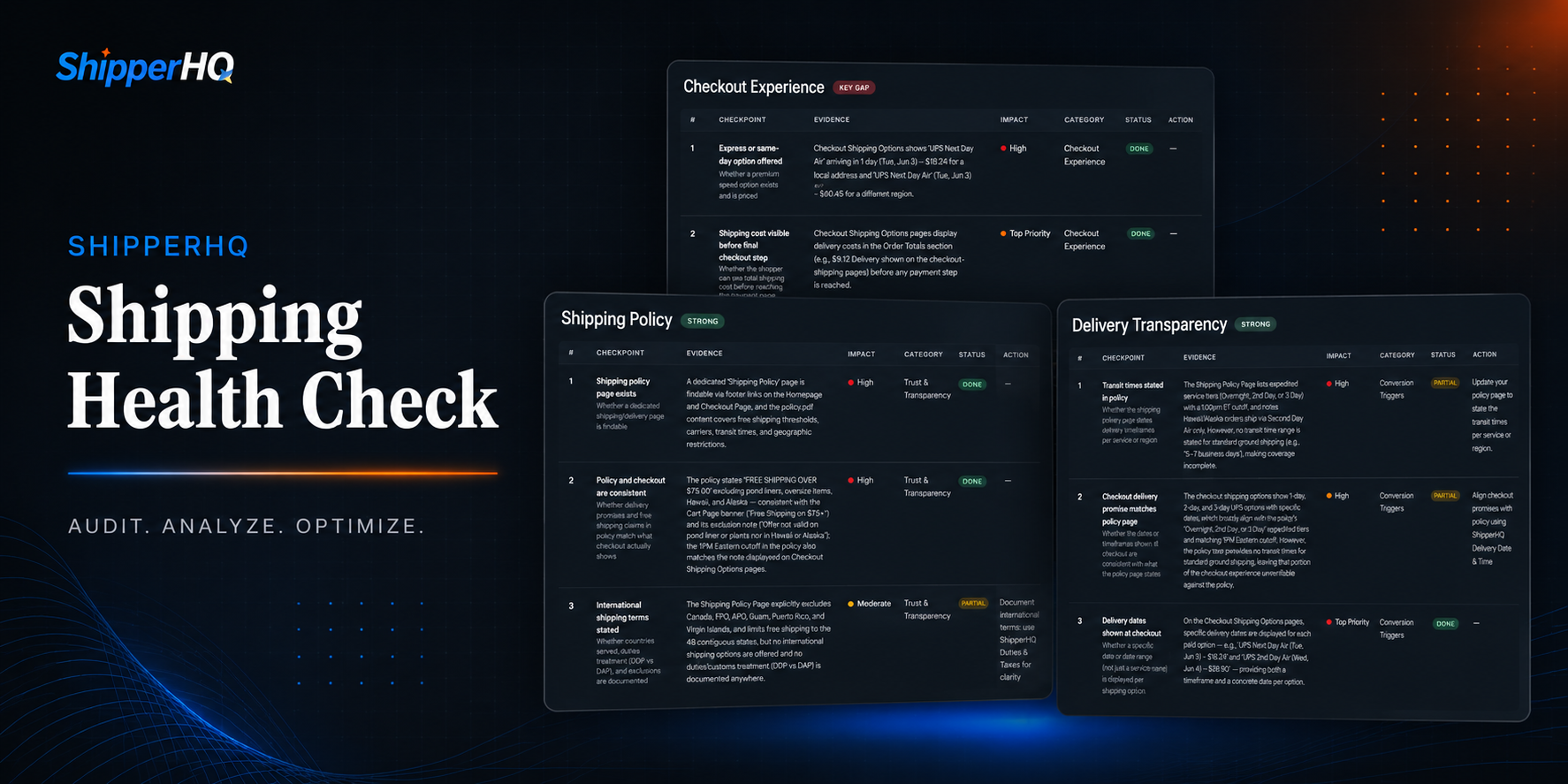
Ask most merchants how their shipping setup and checkout are doing, and you'll get the same answer: fine.
They're probably right, and that's exactly the problem. Orders are going through, customers are hitting "buy," products are heading out the door. It doesn't take a broken checkout to cost an eCommerce store real money. Usually, it just takes a handful of small, specific gaps, and those gaps often cost twice: once in cart abandonment, and again in shipping costs that don't add up.
These gaps rarely announce themselves. Nothing throws an error. No one gets an alert. Order volume looks the same as yesterday because shoppers who hit these gaps don't file a ticket. They just leave.
Why Your Shipping Setup Matters
Roughly 48% of cart abandonments are driven by unexpected shipping costs and fees, more than any other reason shoppers give for walking away. And it's not just abandoned carts. The same gaps that push shoppers away can quietly eat your margin on orders that do go through. Offer free shipping without clearly defined rules, and you might end up paying $12 to ship a $1.99 trinket, or $250 for a couch that should've been excluded entirely.
A checkout that works "just fine" and one that converts aren't the same thing, and the gap between them is hard to spot on your own.
That's why we built the Shipping Health Check: a free audit that shows you exactly what your setup is costing you, with tactical fixes for every gap we find. Run yours, and we'll follow it up with two weeks of free access to ShipperHQ so you can put those fixes into practice.
How the Shipping Health Check Works
The ShipperHQ Shipping Health Check tests real checkout scenarios (different cart sizes, delivery zones, and product weights) against what a merchant's or store's own shipping policy promises.
Overall Shipping Score
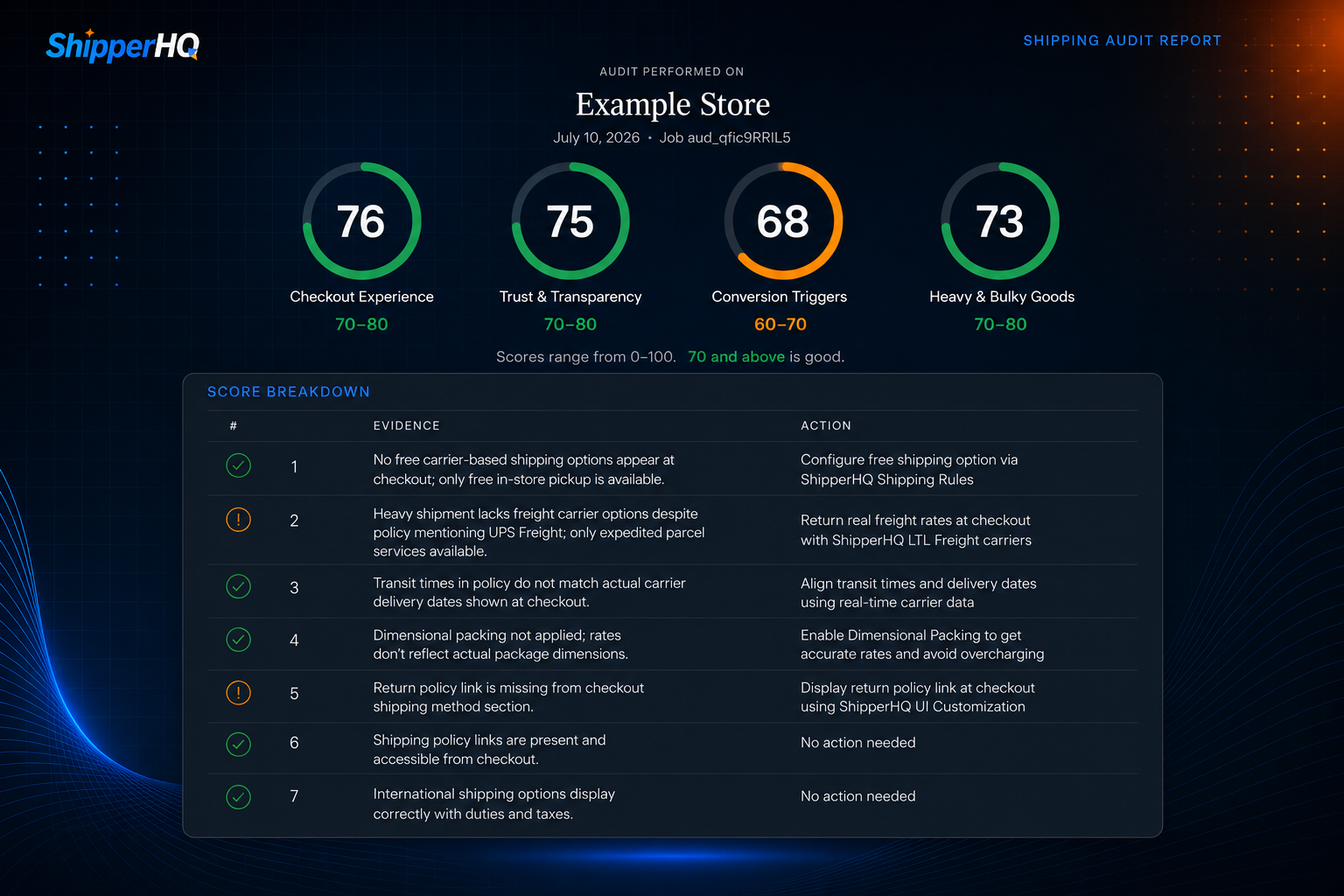
* Note: The examples in this post are anonymized versions of a real merchant's Shipping Health Check
Your Shipping Health Check report starts with an overall health score and a score breakdown of your shipping and checkout experience, along with an overview of what you're doing well and where you have room to improve. You'll see a customized list of the most important scores for your store at a glance, tailored to its specific setup.
Shipping Health Key Focus Areas
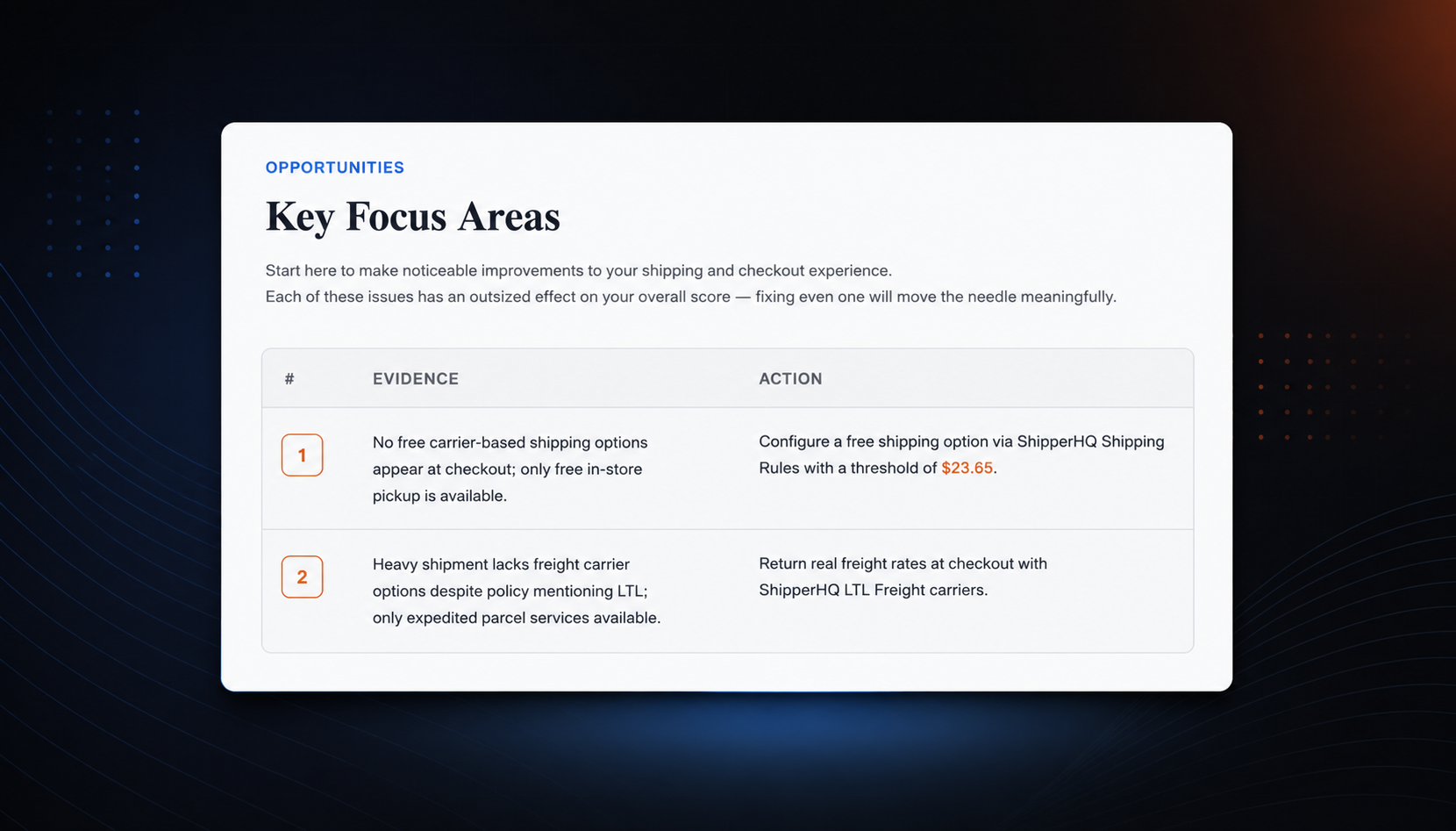
The next section includes key focus areas — levers you can pull today to start making an impact.
This section will contain two or three critical areas identified by our shipping experts that you should focus on first, plus a direct action you can take to resolve each issue.
Every focus area is backed by evidence (the actual checkout behavior we observed, not a guess) and a specific fix, so there's no ambiguity about what to do next.
Most merchants can knock out their top two or three focus areas in an afternoon… or less.
Shipping Health Check Domains
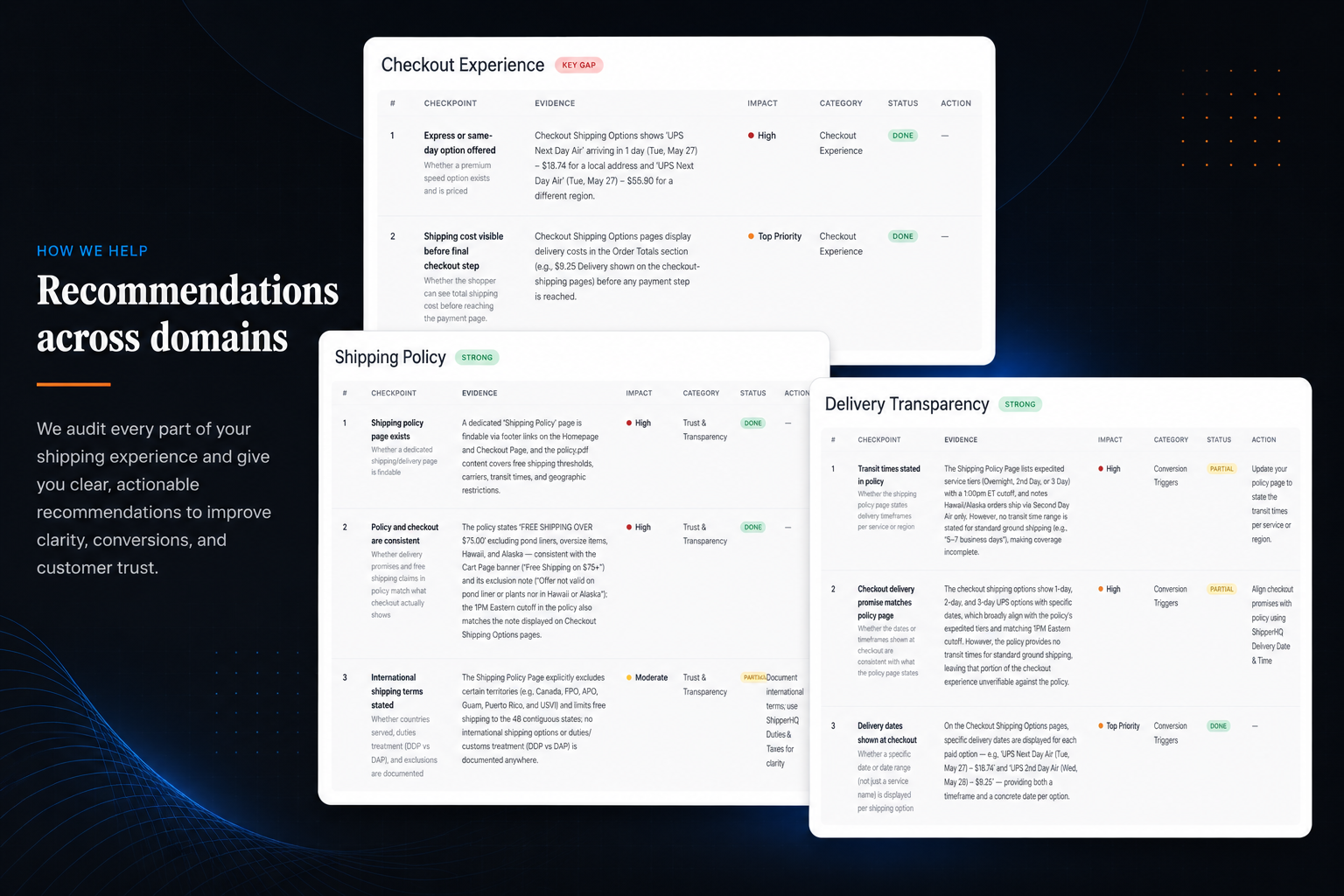
The rest of the report is an in-depth review of your checkout process across the following domains. Each one gets a score based on evidence, plus tactical advice on how to improve it: doing well, you'll get recommendations ranked for impact; showing a gap, you'll get a direct path to close it.
- Checkout experience
- Cost clarity
- Shipping policy
- Delivery transparency
- Return policy
- International handling
- Dimensional accuracy
- Freight & LTL
Review with a Shipping Expert
Once your report is ready, one of our shipping experts will walk you through the results, answer any questions you have, and show you exactly how to make quick progress closing the gaps we found.
Shipping Health Check in Action
To help you see how the Shipping Health Check process works, we broke down a few sections from shipping health checks conducted by a couple of real eCommerce stores to show you what turned up in their audits, how those gaps were addressed, and how they impacted their setup.
Example Finding 1: The Free Shipping Banner Was Making a Promise That Wasn't Kept at Checkout
The site advertised free shipping for orders over $50. The cart page even displayed a live progress bar: "Spend $7.56 more to get free shipping."
This was a good instinct on the merchant's part, as that kind of nudge works.
Our audit ran that promise across multiple checkout scenarios, but the free shipping option only appeared when in-store pickup was chosen. Not a single test cart, regardless of size, ever surfaced a free carrier-based shipping option at checkout.
When our team told the merchant about this gap, they realized they had told their team to set up a free shipping promo but had forgotten to set up the Shipping Rules to align with that promise, making it so free shipping never showed up in checkout.
It took a few minutes to set it up, and the free option was immediately displayed at checkout.
Example Finding 2: Heavy Orders Were Getting Parcel Rates on a Freight-Sized Order
The merchant's shipping policy is that if a product is too large for standard ground delivery, it ships via LTL freight, and freight orders incur a minimum fee plus added applicable charges. Reasonable policy. Common setup.
But when the audit tested a heavy order (the items totaled roughly 110 lbs in a single cart), the checkout returned standard parcel carrier rates: $892 for two-day service and over $1,000 for one-day service. No freight option ever appeared, even though the order clearly fell within the weight range the policy describes as freight territory.
Two things happen when parcel rates are returned on a freight-weight order. Either the customer sees a wildly inflated shipping charge and abandons the cart on the spot, or the merchant absorbs the real cost difference to close the sale. Neither outcome is intentional. Both are expensive.
Our team helped this customer add live freight rates to their checkout and update their rate logic for that weight class, ensuring freight (and parcel) orders always received accurate rates.
Example Finding 3: Inaccurate Package Sizing Was Overcharging and Undercharging Customers at the Same Time
The merchant's old shipping setup was overcharging and undercharging based on dimensional size. For example, a shopper would build a $65 cart, reach checkout, and see a $52 shipping rate. (Chances are, they left every time.) On other orders, it undercharged, quoting $22 for shipping that actually cost $48 to fulfill, silently wiping out the profit margin on that sale.
We helped them integrate smart Dimensional Packing, allowing their shipping setup to handle the real complexity of the catalog: mixed weights, mixed dimensions, and combinations that needed to be packed and priced correctly every time, not most of the time.
Example Finding 4: The Same Address Couldn't Get a Straight Answer From Its Own Checkout
The third finding was for an order that was supposed to be delivered to a remote delivery zone. On the first page of the checkout, the displayed shipping rate was $93.73. The very next step in that same checkout flow, for that same address, showed only a local pickup option and no carrier delivery method.
What was happening: switching from a local to a regional address added only about $6 to the shipping cost, but due to a raw carrier surcharge passed straight through with no smoothing or absorption, switching from regional to remote added roughly $55. On their site, a shopper in a remote zone was either hit with a rate that looked like a mistake or bounced into a dead end where delivery wasn't offered at all.
This was fixed using Shipping Rules to set rate logic that applied a discount to the carrier rate for orders delivered to remote zones (to be absorbed by the merchant), plus specific rules on which carriers to use (and not use) in each zone.
A Shipping Setup that Just Works.
Finding gaps (and fixing) like these doesn't require an overhaul of your shipping setup. Most of the time, it requires a few quick fixes and the right rules built on top of an infrastructure that's already flexible enough to handle them.
That's what ShipperHQ is built for…and we want to show you.
You don't need to take our word for how we can help you handle the gaps in your specific setup. Instead, once you've run your Shipping Health Check, start a free 15-day trial and see how you can make these fixes quickly and easily within our app, or with help from our team of shipping experts.
None of the merchants above had a broken checkout. All of them were fine. But each one had small, specific gaps nobody had thought to test for, and fixing them led to real results.
That's the pattern behind almost every Shipping Health Check we run.
Not a checkout that's failing, but one leaving real revenue on the table in ways you'd probably never notice on your own. You'll definitely notice once they're fixed: cart abandonment drops, average order value climbs, and revenue starts showing up where it used to leak out.
You don't have to guess where your own gaps live, and you don't have to close them alone.
"Just fine" was never the goal. Great is.

FAQs
How do I know if my shipping setup is working?
The only reliable way is to test real checkout scenarios (different cart sizes, delivery zones, and product weights) against what your shipping policy actually promises. ShipperHQ's Shipping Health Check does exactly this: it scores your checkout across trust, cost clarity, and conversion triggers, then flags the specific gaps that are costing you sales.
Why isn't my free shipping threshold showing up at checkout?
This usually means a free shipping promotion was announced (on a banner or progress bar) without a matching rule configured on the backend actually to trigger it at checkout. ShipperHQ's Shipping Rules let you tie free shipping directly to cart value, product type, or customer group, so what you promise is what shoppers actually see.
How do I get accurate freight rates for heavy or oversized orders?
If your checkout is returning standard parcel rates on orders that should qualify for freight, the two systems likely aren't connected. ShipperHQ's LTL Freight feature pulls live rates from freight carriers based on weight and dimension thresholds you define, so oversized orders get accurate pricing instead of a parcel rate that's wildly off in either direction.
How do I stop overcharging or undercharging on shipping for a complex product catalog?
Flat-rate or weight-only shipping logic breaks down fast once your catalog includes a mix of sizes, weights, and packaging types. ShipperHQ's Dimensional Packing calculates rates based on how items actually pack together, so pricing stays accurate whether an order is a single small item or a mixed cart of large and small pieces.