
Shipping is pretty straightforward when every order leaves from one warehouse. The customer checks out, the package ships, and everyone gets on with their day.
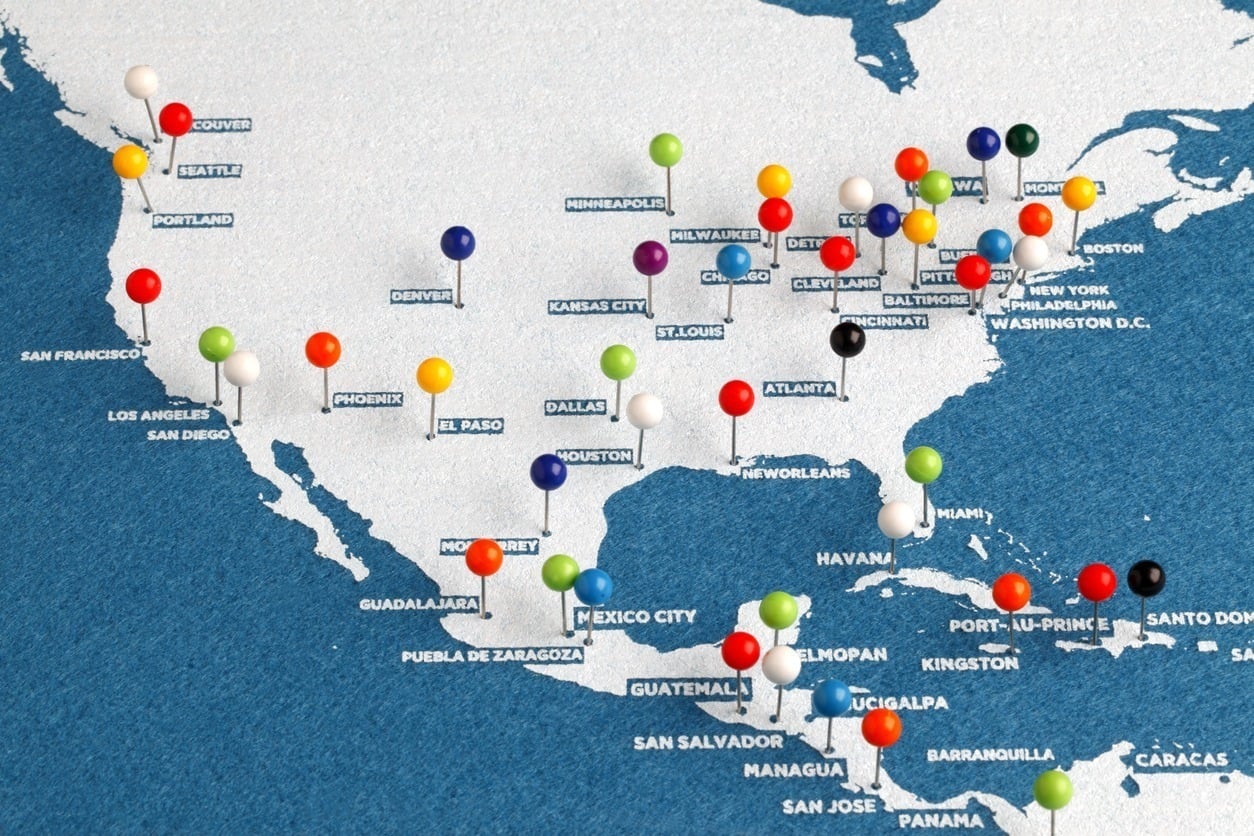
But once you add regional warehouses, retail locations, dropship vendors, 3PLs, or cross-border fulfillment, things get messy fast.
One order might need to ship from two locations. Another might be cheaper from the closest warehouse. Another might be better off shipping from one origin, even if it travels a little farther.
That's where multi-origin shipping comes in. It helps ecommerce merchants calculate shipping rates across multiple fulfillment points and still show customers a clear, accurate rate at checkout.
If you're running multiple fulfillment locations and your checkout rates don't reflect that reality, that's the problem multi-origin shipping solves.
Quick answer: Multi-origin shipping lets ecommerce merchants calculate shipping rates across multiple warehouses, stores, or dropship vendors and show customers an accurate checkout rate. ShipperHQ handles origin selection, split shipments, Method Merging, and product-to-origin rules when your platform's native shipping settings don't cover the complexity of your fulfillment operation.
This is especially useful for merchants using regional warehouses, retail fulfillment, dropship vendors, 3PLs, or cross-border fulfillment.
What Is Multi-Origin Shipping?
Multi-origin shipping is a fulfillment model where a single customer order is rated and potentially shipped from two or more separate locations. The locations can be warehouses, retail stores, dropship vendors, or third-party fulfillment centers. The key is that the customer sees one checkout experience with accurate shipping costs, not a confusing stack of separate charges from wherever the items happen to live.
This is different from just having multiple locations in your ecommerce platform. Inventory management and shipping rate management are two separate problems. You can track stock across five locations without those locations having any role in how shipping rates are calculated or displayed at checkout. Multi-origin shipping connects the fulfillment map to the rating engine so the checkout reflects what's actually going to happen.
Without that connection, two things tend to go wrong: you show customers a rate that's too low and eat the difference, or you show a rate that feels wrong and they leave.
Who Needs Multi-Origin Shipping?
Any merchant with more than one fulfillment point. In practice, that breaks down into a few common scenarios.
Multiple warehouses. You have two or three distribution centers in different regions. Orders should ship from the closest one, or from whichever one minimizes split shipments. Without multi-origin routing logic, all orders might go to your default location, which inflates shipping costs and delivery times.
Warehouse plus retail. You fulfill some orders from a central warehouse and others from retail store locations. Each location may use different carriers or have different rate agreements. The checkout needs to know which location is doing the work before it can quote an accurate rate.
Dropshipping alongside owned inventory. Many merchants sell a mix of products they warehouse themselves and products fulfilled directly by suppliers. Those suppliers ship from their own locations, and each one may use different carriers, zones, and rates. If your checkout is calculating rates from your warehouse only, the numbers will be wrong for every dropshipped item.
Take a company like Sarah's Sock Company. They sell branded socks out of their LA warehouse, but they also resell face masks from an Austin supplier. A customer in Chicago adds both to a cart. That order is shipping from two cities, across two carriers. If checkout only charges for one simple shipment, Sarah's Sock Company may need to pay for two separate shipments behind the scenes — and the business is left covering the gap.
With multi-origin shipping configured, Sarah's Socks can show one customer-friendly rate that still accounts for the real cost of shipping from both locations.

Cross-border merchants. If you have fulfillment on both sides of a border, you need to control which orders ship from which side. A Canadian warehouse shouldn't be shipping to US customers if the duties and delays make it uncompetitive. Multi-origin shipping lets you set origin restrictions by zone or destination, so the system routes orders correctly before rating them.
What Are the Benefits of Multi-Origin Shipping?
The biggest benefit is simple: more accurate shipping rates. When an order ships from multiple locations, the merchant may be paying for multiple shipments behind the scenes. If checkout only charges the customer as if everything came from one warehouse, the business eats the difference.
Multi-origin shipping helps close that gap. It gives merchants a way to calculate shipping costs based on the origins actually involved in the order, then present the customer with a cleaner checkout experience.
- Protecting margins: Reduce the risk of undercharging when an order ships from multiple warehouses or vendors.
- Reducing cart abandonment: Avoid confusing customers with stacked or inflated-looking shipping charges.
- Improving delivery speed: Route orders from the nearest or most efficient origin when it makes sense.
- Supporting dropshipping: Account for vendor-fulfilled products without forcing manual rate workarounds.
- Scaling fulfillment: Add new warehouses, stores, or 3PLs without rebuilding your checkout logic every time.
In other words, multi-origin shipping isn't just an operations feature. It's a margin-protection and checkout-experience feature.
Where Standard Ecommerce Shipping Settings Fall Short
Most ecommerce platforms do a good job managing inventory across multiple locations. Shipping rate management is a different story. Once checkout needs to calculate rates across multiple origins, carriers, and split shipments, merchants often need more control than native settings provide.
Here's where the gaps typically show up:
Rate calculation across origins. When an order involves items from more than one fulfillment location, each location can generate its own separate shipping rate request. For merchants who need a single merged checkout rate that reflects all locations, that requires additional logic beyond what most platforms handle natively.
Method merging across carriers. If one warehouse uses FedEx and another uses UPS, presenting those as one coherent rate at checkout requires a merge layer. Without it, customers may see separate shipment charges or a rate that doesn't accurately reflect both fulfillment points.
Origin routing rules. Telling your shipping logic to fulfill a product only from a specific warehouse, to never route certain inventory to particular destinations, or to fall back to the next nearest origin when stock is low — these are rules merchants with real multi-location operations need. They're generally not part of a platform's native toolset.
Dynamic origin selection. Should a given order ship from the closest warehouse, or the one that can fill the whole order without splitting it? Both are valid strategies, and the right answer changes order by order. That decision requires logic at the rate level, not just inventory assignment.
The result: merchants either absorb split-shipment costs quietly in the background, or they lose conversions from checkout rates that look inflated or confusing. A dedicated multi-origin shipping tool is how you close that gap.
| Capability | Standard Ecommerce Settings | ShipperHQ Multi-Origin Shipping |
|---|---|---|
| Track inventory across locations | Yes | Yes |
| Assign products to specific origins | Limited — native inventory behavior | Yes, via Origin Attribute logic |
| Ship from nearest or fewest origins | Limited | Yes — configurable algorithm |
| Merge methods into one checkout rate | Limited | Yes — Method Merging |
| Restrict origins by destination zone | No | Yes |
| Set origin rules by order value | No | Yes |
| Handle dropship vendor origins | Limited | Yes |
How Multi-Origin Shipping Works with ShipperHQ
ShipperHQ's Multi-Origin Shipping works as a layer between your ecommerce platform and your carriers. When a customer builds a cart, ShipperHQ reads which products are in it, identifies which origin each product ships from, requests carrier rates for each separate shipment, and uses your configuration to return a checkout rate. You control whether customers see one combined option or separate shipment lines — and what each option is called.
Ship From Nearest Origin vs. Fewest Origins
ShipperHQ lets you choose between two origin selection strategies, and the right one depends on how your catalog and warehouse footprint work.
Ship from nearest origin routes each product to the closest warehouse to the customer's address. This minimizes distance and often minimizes transit time. It works well when most of your orders are single-item or when your warehouse density is high enough that nearby fulfillment is almost always possible.
Ship from fewest origins consolidates the order into as few fulfillment points as possible. It works well when multi-item orders are common and you'd rather pay a slightly higher per-item rate than generate two separate shipments. For the Sarah's Sock Company scenario, this setting would try to fill the whole order from whichever origin carries both items before falling back to splitting it.
Neither strategy is universally better. ShipperHQ lets you set the algorithm at the feature level, then override it with product-level or zone-level rules where you need more control.
Method Merging
Method Merging is one of ShipperHQ's more specific capabilities, and it solves a problem that comes up constantly for merchants with mixed carrier relationships across locations.
Say your Austin warehouse ships FedEx Ground, your LA warehouse ships UPS Ground, and one of your dropship vendors ships USPS. A customer orders items from all three sources. Without Method Merging, your checkout either can't generate a combined rate or shows three separate shipping lines. With Method Merging, you define which methods from each origin are equivalent and should be presented together. You also name the merged option whatever fits your brand: "Standard Shipping," "Ground Delivery," or anything else.
ShipperHQ handles the calculation. You control what the customer sees. Configure Method Merging rules in ShipperHQ under the Method Merging tab, where you map which methods from each carrier should combine into one displayed rate.
If no merge rules are configured, ShipperHQ falls back to automatic merging, combining the cheapest method from each origin into a single "Shipping" rate. That works as a default, but explicit merge rules give you control over branding and composition.
Restricting Shipments by Origin
Origin restrictions let you block certain fulfillment locations from shipping to specific zones or geographies. This is particularly useful for cross-border scenarios.
If you have a warehouse in Toronto, you probably don't want it filling orders going to US customers, because the landed cost, duties, and delivery time will make it uncompetitive. With ShipperHQ's Restrict Destination setting, you can assign zone restrictions to each origin so the Toronto warehouse only serves Canadian addresses. Orders from the US route to your US location automatically.
You can also restrict by shipping method or order value. Send small orders from retail locations and large orders from distribution centers. Block certain carriers from specific origins if your rate agreements don't support that lane. These rules stack and interact with your origin selection algorithm, so routing stays logical even when the rules get specific.
Origin Attributes
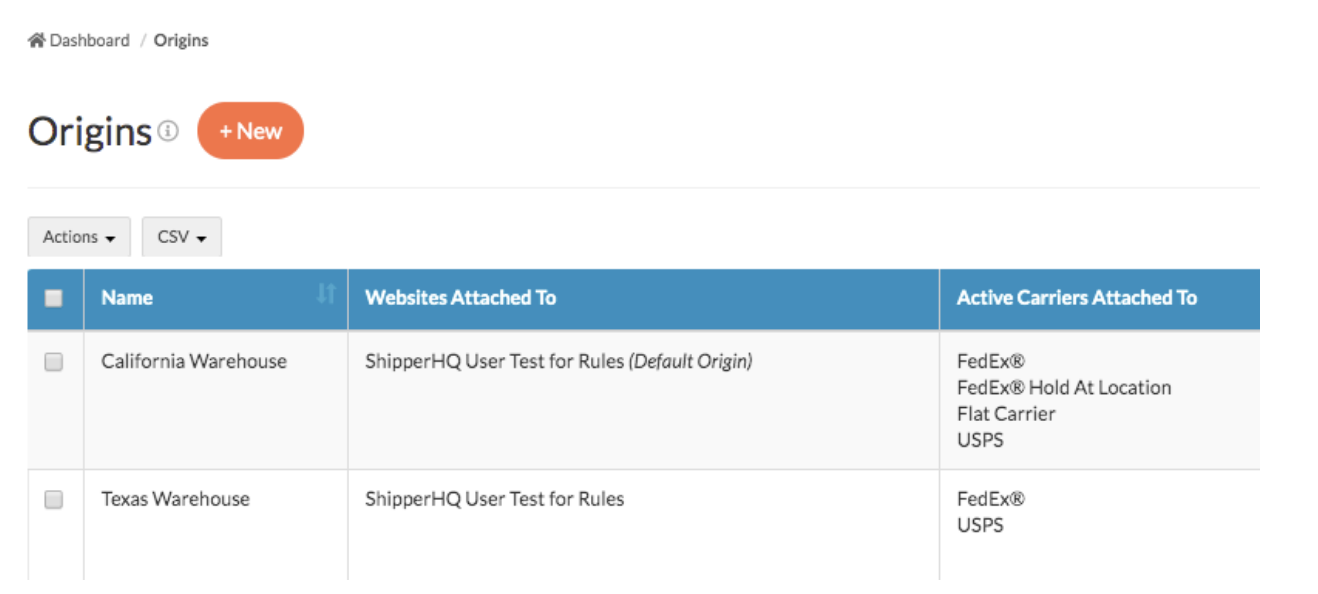
When you enable Multi-Origin Shipping, ShipperHQ adds an Origin Attribute field to your products inside your ecommerce platform. This is how the system knows which location each item ships from.
You can assign a single origin per product, multiple origins (letting ShipperHQ choose based on your algorithm), or set all products as available from all origins if your warehouses carry the same inventory. Getting these assignments right is the most important configuration step before testing checkout rates.
How to Get Started with Multi-Origin Shipping
The general setup flow — enabling the feature, defining your origins, assigning products, and configuring your fulfillment algorithm — is covered in detail in ShipperHQ's documentation. ShipperHQ works with major ecommerce platforms and custom websites, so setup varies by stack. The docs cover the specifics for your stack.
At a high level, the process involves four things: connecting ShipperHQ to your platform, defining your warehouse and vendor origins, assigning products to those origins using the Origin Attribute field, and choosing how you want ShipperHQ to select between origins (nearest or fewest) and merge rates at checkout. From there, you can layer in restrictions, method merging rules, and delivery date logic as your operation requires.
Before going live, test with orders that touch multiple origins. Put items from two different warehouses in a cart and verify that the checkout rate comes back correctly. Test a dropshipped item alongside owned inventory. The checkout should handle both cleanly before any customer sees it.
Real-World Example: Jeni's Splendid Ice Creams
Beloved ice cream retailer Jeni's Splendid Ice Creams has a strong ecommerce presence — and a fulfillment challenge to match. In the early days, the company shipped all products from one location. Sending perishable ice cream on full cross-country trips created real logistical risk.
"We were opening Scoop Shops across the country, but only shipping out of one fulfillment center. We realized that to sustain our online business and cold storage supply chain, we needed multi-warehouse fulfillment. This wasn't native to our platform BigCommerce, so we knew we needed a solution."
Chelsea Clements, former Director of Ecommerce at Jeni's Splendid Ice Creams

After integrating with ShipperHQ, fulfillment became streamlined and automated. The real test came when natural disasters in California made it impossible to ship out of key fulfillment centers.
"ShipperHQ helped us enable multi-warehouse fulfillment logic for our BigCommerce store, which grew the business. This especially came in handy during a time of crisis when landslides in California prevented us from getting shipments out of one of our fulfillment centers.
Chelsea Clements, former Director of Ecommerce at Jeni's Splendid Ice Creams
If that had happened before we used ShipperHQ, we would have had to shut down our entire e-commerce business until the roads re-opened. We don't have any developers on the team, but with ShipperHQ, it was as easy as changing some settings, and we could keep our business up and running."
That's the difference between a fulfillment disruption being a logistics adjustment and being a customer service crisis. Thanks to Multi-Origin Shipping, the business stayed operational, and customers got their ice cream on time.


FAQs
What is multi-origin shipping?
Multi-origin shipping is the practice of fulfilling a single ecommerce order from more than one warehouse, store, or vendor location, while showing the customer one accurate shipping rate at checkout. It handles the carrier rate calculation across multiple fulfillment points, not just inventory tracking across locations. If you have multiple warehouses or ship from a mix of owned inventory and dropship vendors, multi-origin shipping is the layer that makes your checkout rates accurate.
Why don't standard ecommerce shipping settings handle multiple warehouses well?
Most ecommerce platforms are designed around a single default origin for rate calculation. When orders involve items from more than one fulfillment location, each location may generate its own rate request, which can produce separate charges or inaccurate totals at checkout. Handling that correctly — merging rates, applying origin routing rules, and surfacing one coherent checkout option — requires a dedicated multi-origin shipping layer. ShipperHQ's multi-origin feature is built specifically for that.
Does multi-origin shipping show one rate or separate rates at checkout?
It depends on your configuration. With ShipperHQ's Method Merging enabled, compatible methods from multiple origins combine into a single checkout option. Without merging, ShipperHQ can display rates as separate shipment lines. The right setup depends on your platform, plan, and how you want the checkout experience to look — test with split-cart scenarios before launch to confirm the behavior you expect.
Can multi-origin shipping work with dropshipping?
Yes. Dropshipping is one of the most common multi-origin scenarios. Each dropship vendor is its own origin in ShipperHQ. You define each vendor's location, assign the relevant products to that origin, and configure carrier rates for each vendor's typical shipping method. When a customer orders a mix of your products and dropshipped items, ShipperHQ rates each origin separately and presents the combined total at checkout. Method Merging smooths out the experience when different vendors use different carriers.
How do I restrict which warehouse fulfills an order?
ShipperHQ lets you set zone-based restrictions on each origin, so specific warehouses only fulfill orders to specific destinations. You can also restrict by shipping method or order value — for example, sending small orders from retail locations and large orders from a distribution center. These rules work alongside the origin selection algorithm, so routing stays accurate even when your fulfillment rules get specific. See the ShipperHQ documentation for full setup details.
Which ecommerce platforms does ShipperHQ's multi-origin shipping support?
ShipperHQ works with major ecommerce platforms and custom websites — including Shopify, BigCommerce, WooCommerce, and Magento. The multi-origin shipping feature and its configuration options — origin attributes, method merging, routing algorithms, and cross-border restrictions — are available regardless of which platform you're on. Check the ShipperHQ documentation for platform-specific setup instructions.