

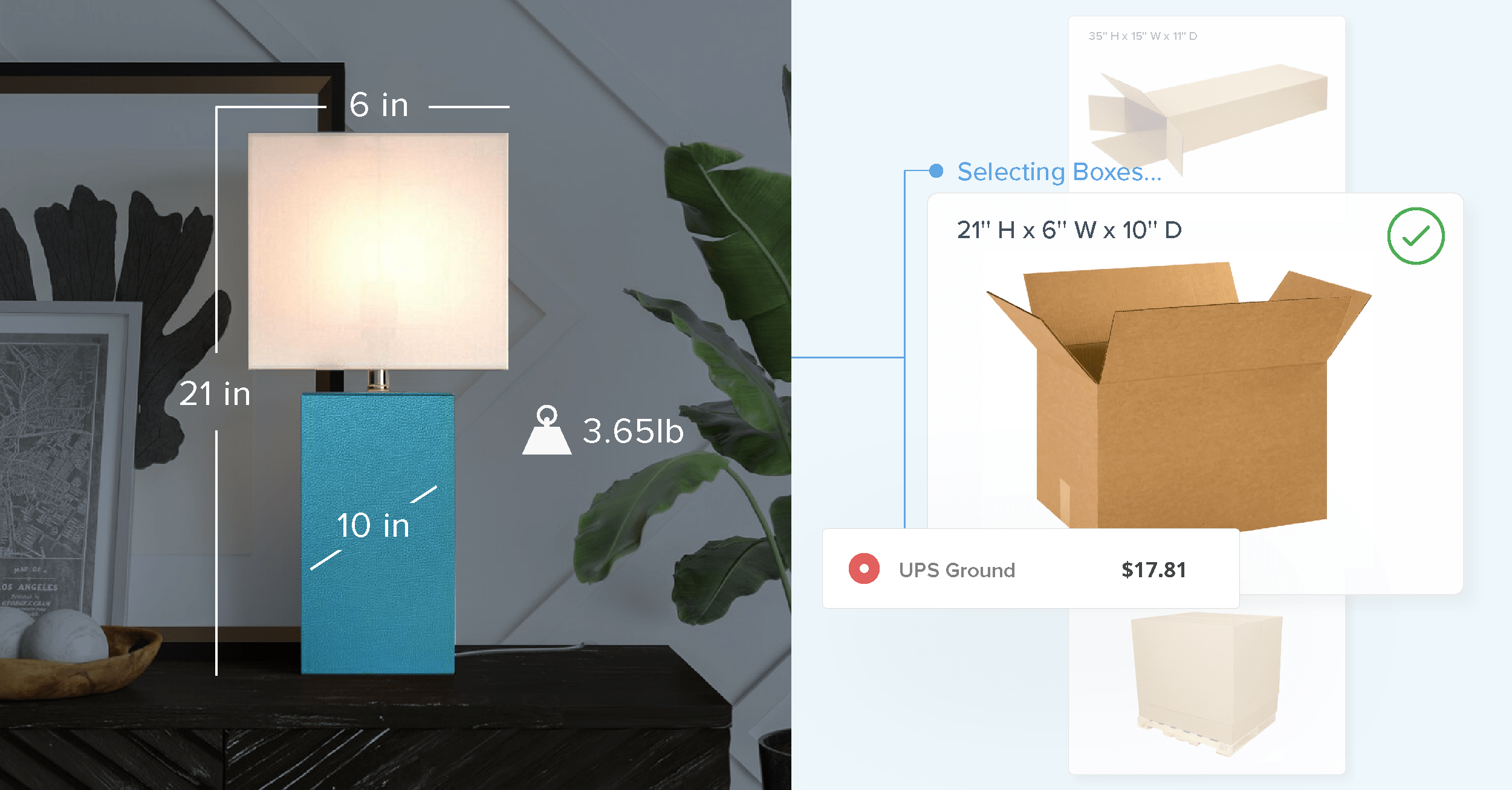
Dimensional Packing and Packing Rules are ShipperHQ tools that help you calculate more accurate shipping rates.
Used together, they form Dimensional Packing Rules: a way to customize exactly how your products get grouped into boxes and which boxes get used. The result is more accurate rates at checkout, for every order type in your catalog.
Dimensional Packing works by calculating the dimensional weight of packages, then finding the smallest possible shipping box via our Best Fit Algorithm.
The algorithm gathers the SKUs of all products in an order, finds the SKU with the longest length, and picks the smallest box that can accommodate it. The resulting package may contain multiple SKUs, or the algorithm may determine it's more cost-efficient to pack SKUs separately to allow for smaller boxes to be used.
Why Dimensional Weight Matters
Major carriers — FedEx, UPS, DHL — charge based on whichever is greater: actual weight or dimensional weight. Dimensional weight is calculated as length x width x height divided by a DIM factor (139 for domestic US shipments on both FedEx and UPS).
A large, light box that physically weighs 2 lbs can bill like a 12 lb package. Starting in January 2026, both carriers also round each dimension up to the nearest whole inch before running the calculation, so even fractional measurements increase the billed weight.
If your checkout calculates rates based on product weight alone, without accounting for which box those products actually ship in, you're either overcharging customers or eating the difference yourself. That's the problem Dimensional Packing Rules are designed to solve.
The Three Core Packing Rules
While Dimensional Packing is relatively straightforward, the Best Fit Algorithm isn't always the best solution for companies with complex business needs.
While the algorithm is sufficient for finding the most cost-efficient packing scenario, some retailers still need further packing customization. That's where Packing Rules come in. Together, they create Dimensional Packing Rules, which utilize functionality from both features. Let's explore how and why retailers would need these rules.
Packing Rules are set up inside the ShipperHQ dashboard, under the Boxes tab, in Packing Rules. (You'll need to enable Dimensional Packing from your Features page first, and have your box sizes defined before creating most rule types.)
Once a rule is created, you assign it to the relevant products inside your ecommerce platform. From there, ShipperHQ applies the rule automatically at checkout, every time that product is in an order. Here are three packing rules we see used by most retailers:
Pack According to Box Rules
You can assign rules to specific boxes to ensure certain product groups are always packed into them.
One easy example of a business that would need specific Box Rules would be an ice cream retailer. The retailer could assign all ice creams to a product group, then require that the product group be packed into specific boxes or box types — in this case, insulated boxes, fit for shipping perishables.
Box Rules allow you to specify which boxes a group of items can be packed into. After the application of that rule, the system will apply the Best-Fit Algorithm to find the right box.
In addition, retailers who sell third-party brands may need to use this rule to automatically pack those products into the correct branded packaging.
Even retailers who sell items that don't have traditional physical dimensions can use Box Rules. For example, a vinyl retailer might sell 10 square feet of vinyl on a 10' tall roll. But if a customer orders a 20' x 10' sheet of vinyl, it's still packaged and shipped on that 10' roll.
Despite the order being twice as much vinyl, the dimensions of the product don't really change. With Box Rules, you can assign specific boxes to these products without requiring dimensions.
Pack Separately
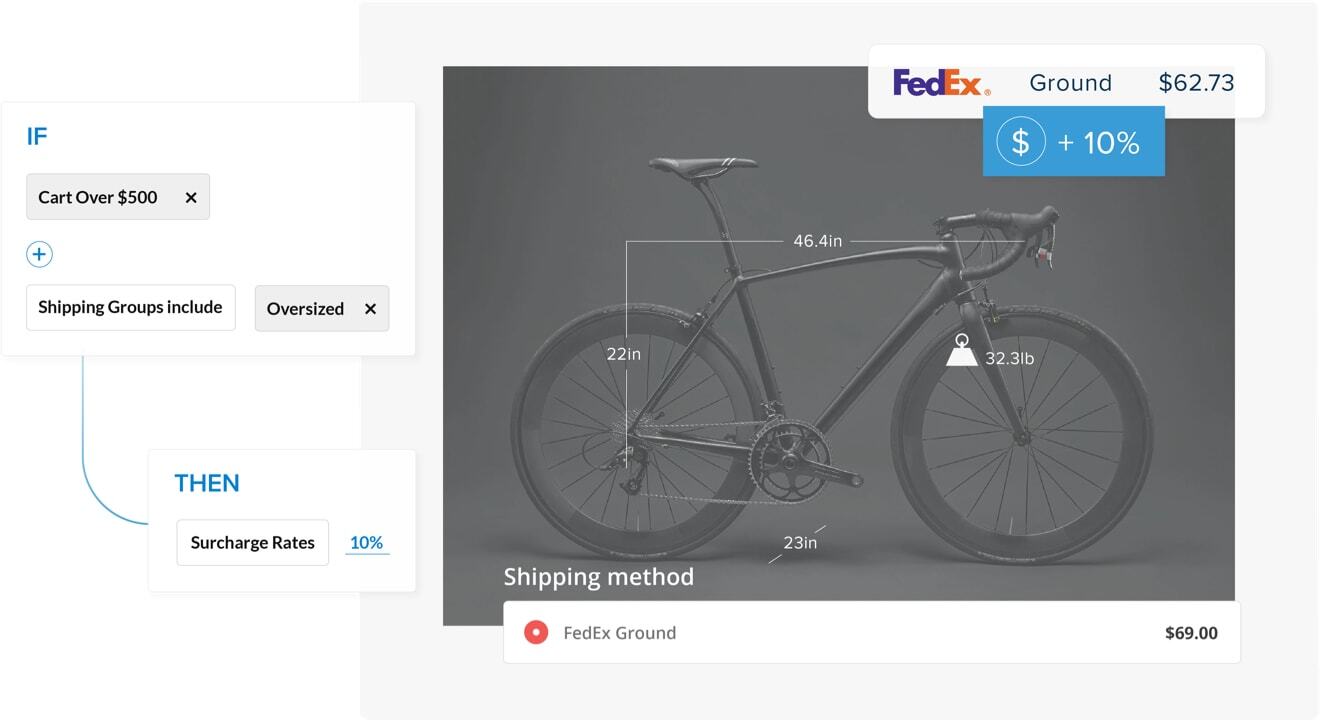
Some items always need to be packed and shipped separately. Most often, these items are fragile, hazardous, oversized, or oddly shaped.
This rule ensures that items marked as Pack Separately always ship in their own box. You can pre-select the box (typically the best for odd-shaped or dangerous items) or simply pull in the Best-Fit Algorithm.
Pre-boxed items are also a great way to use Pack Separately rules. For resellers or dropshippers, this is especially handy, as these products require no packing at all — they simply need a label.
Pack in Multiple Fixed Boxes
In a scenario where one SKU includes multiple packages, this type of rule can ensure each item is packed into the right box. Currently, there's no way to assign multiple dimensions to a single item in any ecommerce platform.
Because of this, products that ship in pieces need specific directions for how they should be packaged. With the Pack in Multiple Fixed Boxes rule, retailers can automate the process.
Furniture and home goods retailers often use these rules, especially retailers who sell flat-packed furniture.
A furniture retailer selling a flat-packed desk, for example, might set up rules to ensure the desk surface and the base ship separately, in boxes specifically made to carry them. For kits and bundles, retailers must list each piece of the kit or set under a single SKU.
These automated packing rules present a real merchandising opportunity. Most ecommerce platforms enable retailers to sell kits and bundles, and ShipperHQ makes it easy to ship them efficiently.
Offering sets of products together can increase average order value — and accurate packing rules mean the rates at checkout actually reflect the fulfillment cost.
Having a system intelligent enough to pack product into correct boxes has also helped us to give more accurate shipping quotes.
Creed Ford, Owner, Rudy's BBQ
Advanced Feature and Box Settings
Packing products into the right boxes is crucial, but so are the boxes themselves. Here's how retailers can configure boxes for optimal cost efficiency.
Master Packing Boxes
For retailers who frequently sell multiples of the same item — e.g. wine — Master Packing Boxes can be a key to getting accurate rates.
With Master Packing Boxes set up, the retailer could ship 12 similar-sized bottles in the same box. However, if a customer adds 14 bottles to their order, they'll receive 12 bottles in a Master Packing Box and the other two will ship separately. These boxes are typically most useful for wholesalers and B2B ecommerce stores who sell full-case quantities of items for better cost efficiency.
Padding and Tolerance
In some cases, retailers need to account for the size and weight of contents inside the box, usually including padding or temperature control materials. Dimensional Tolerance lets you reserve a certain percentage of extra space in a box, while Dimensional Padding allows you to reserve a set amount of extra space in a box.
For oddly-shaped items or ones that need their own packaging materials, Dimensional Tolerance is used. When Dimensional Tolerance is enabled, the volume of each item inside a box is increased by a specific percentage. The percentage varies by circumstance, but a good starting place is between 10-20%.
Dimensional Padding, on the other hand, lets you predefine how much extra space is required inside or outside the box to account for padding and packaging. For example, you could require each box to allow for two extra inches of length, width, and height.
Keep in mind, Dimensional Tolerance and Dimensional Padding work in different ways, so you'll need to use one or the other. If you enable one, you won't see the other.
Settings on Individual Boxes
If you need even further customization, you can manually add unique settings to boxes. This can be helpful for retailers who want to set a maximum weight for their packages to avoid a surcharge from a carrier. It's also useful if you need to account for other products in the box, such as marketing materials or add-ons.
Retailers who use carrier-specific flat-rate boxes can also set up unique rules that assign products to those boxes.
Another way to use this feature is to add a surcharge for higher-cost packaging. Most commonly, retailers put a surcharge on insulated or perishable-friendly boxes. Because they do carry a significant cost, the surcharge can make a big impact on your bottom line. Of course, retailers should be strategic about the surcharge and limit it to an amount that will have minimal impact on conversion rates.
Using Dimensional Packing Rules in the Real World
To understand how Packing Rules can work for retailers, let's go back to our example ice cream retailer. Selling both perishables and non-perishables, the company needs Dimensional Packing Rules that account for both types of products.
To make this happen, the retailer creates Box Rules to ensure frozen items are shipped in insulated boxes. To keep costs low, they add a small surcharge on those boxes. They add Dimensional Padding to insulated boxes to account for the space and weight of the cooling gels they use.
Getting a little more creative, the ice cream retailer offers an incentive for customers to buy more tubs per order. They've got Master Packing Boxes that fit 12 tubs in one box. To encourage these larger purchases, they reduce shipping costs when a customer reaches the 12-tub threshold. If a customer orders 14 tubs, they get the discounted shipping for the Master Packing Box and pay typical rates for the extra tubs.
The customer gets more ice cream while paying less for shipping. The retailer drives more sales and receives accurate rates. Everyone wins.
Getting Started with Dimensional Packing Rules
Ultimately, the best box packing strategy is the one that works with your warehouse and business needs.
Whether you need to make sure rates match your fulfillment costs, or want to get creative with shipping discounts on multiples of certain products via Master Packing Boxes, the ShipperHQ platform can make it happen.
The flexibility of Packing Rules means retailers can get more accurate rates. The Best Fit Algorithm, paired with custom rules for every product that needs specific handling, means every package ships correctly and cost-efficiently — with no manual intervention.

FAQs
What are dimensional packing rules?
Dimensional packing rules are a ShipperHQ feature that controls which boxes your products ship in. They combine the Best Fit Algorithm (which selects the smallest valid box) with custom Packing Rules (which override that logic for specific products). The result is accurate shipping rates at checkout for every order type.
How does dimensional weight affect my shipping costs?
Carriers like FedEx and UPS charge based on whichever is greater: actual weight or dimensional weight (length x width x height, divided by a DIM factor). A 2 lb box can bill like a 12 lb shipment. Without accurate box selection at checkout, you're either overcharging customers or absorbing the difference yourself.
What's the difference between Dimensional Tolerance and Dimensional Padding?
Dimensional Tolerance reserves a percentage of extra space per item — good for irregularly shaped products. Dimensional Padding reserves a fixed amount for the box itself — good for consistent packing materials like foam inserts. You can only use one at a time. Tolerance is the better default for catalogs with mixed product shapes.
What are Master Packing Boxes and when should I use them?
Master Packing Boxes assign a fixed container to a fixed product quantity. A 12-bottle wine case ships in one Master Box; 14 bottles ships as 12 in the master box plus 2 separately, each at the right rate. They're most useful for wholesalers and B2B merchants selling consistent case quantities.
Why do retailers need packing rules?
The Best Fit Algorithm works well for standard orders, but it can't account for products that require specific boxes — perishables that need insulation, fragile items that must ship alone, multi-piece SKUs, or branded packaging. Packing Rules give you the custom logic to handle those cases automatically, without manual intervention at the warehouse.
My checkout rates don't match my carrier invoices. Is it a packing problem?
Usually, yes. If your checkout calculates rates without knowing which box an order ships in, the rate is a best guess. Dimensional weight, package dimensions, and box selection all affect what the carrier actually bills. Accurate packing rules in ShipperHQ close the gap between what you quote and what you pay.
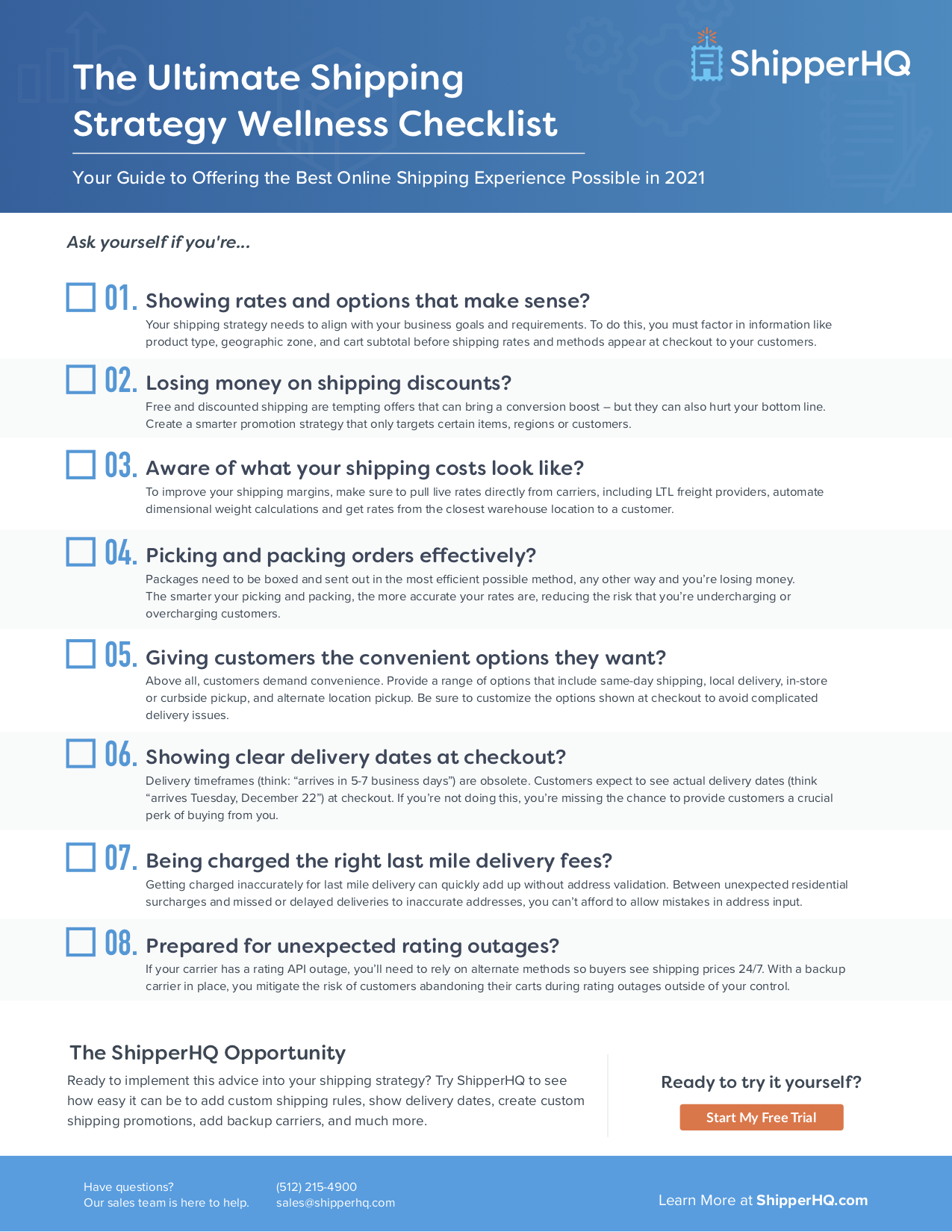
Want more shipping strategy tips? Download our free Shipping Strategy Checklist: