


The best WooCommerce plugins are the ones that fix a real problem in your store: checkout friction, inaccurate shipping rates, messy payments, weak retention, or too much manual work behind the scenes.
WooCommerce gives you more control than almost any other ecommerce platform. That is the upside. The trap is that you can install almost anything, which makes it easy to end up with ten plugins doing the job of three, several of them quietly slowing down the checkout page they were supposed to improve.
The plugins below are organized by the job each one does, not by install count or marketplace hype. Start with whatever is actually broken, then add only what earns its keep.
Quick summary: the best WooCommerce plugins by category:
- Payments: Stripe
- Shipping: ShipperHQ
- Reviews: Trustpilot Reviews
- Email Marketing: Klaviyo
- Loyalty: YITH WooCommerce Points and Rewards
- CRM: HubSpot
- Theme: Astra
- SEO: Yoast SEO
- Referral Marketing: ReferralCandy
- Accounting Sync: MyWorks Sync for QuickBooks and WooCommerce
Best Payment Gateway for WooCommerce
Payment gateways look interchangeable until something breaks.
Maybe a shopper does not see their preferred wallet. Maybe checkout adds a fee nobody explained. Or maybe your team has to stitch together reports from a payment processor that does not connect cleanly with the rest of the store.
For most WooCommerce stores, Stripe is the safest default.
It is the official Stripe-built plugin, listed in WooCommerce’s own marketplace under Official Payments, with 700,000+ active installs. Stripe also has the reputation to match the install count. It is one of the main payment infrastructure companies behind modern ecommerce.

The WooCommerce Stripe plugin supports 23 payment methods, including Apple Pay, Google Pay, Link, Klarna, Afterpay, and Affirm. That means many stores can support cards, wallets, and buy now, pay later options without bolting on a separate payment plugin.
Stripe solves the boring payment problems before they become expensive ones.
It includes Stripe Radar for fraud detection and supports in-person payments through the Stripe Terminal M2 reader or Tap to Pay on iPhone and Android. If a business sells both online and face-to-face, that keeps more payment activity inside one system.
Stripe claims its checkout experience drives 11.9% more revenue on average compared to a standard checkout.
Best Shipping & Checkout Plugin for WooCommerce
ShipperHQ is the best shipping plugin for WooCommerce stores that need accurate checkout rates, dimensional packing, multi-origin shipping, LTL freight, delivery dates, address type detection, or advanced shipping rules. It's built for merchants whose shipping costs change based on what's in the cart, where it ships from, how it's packed, or which carrier rules apply.
WooCommerce ships with shipping zones, flat rates, free shipping, and shipping classes. That covers straightforward shipping: one location, similar-sized products, rates that don't need much logic behind them.
The problem is that real shipping often gets more complicated than that.
Carriers don't price orders based on estimates. They look at package size, weight, destination, service level, address type, freight requirements, and how many boxes the order actually needs.
That's the gap ShipperHQ fills.
|
Capability |
WooCommerce Native Shipping |
ShipperHQ |
|
Flat or per-item rates, no real box logic |
Dynamic multi-box packing based on real product dimensions |
|
|
Not built for true multi-origin checkout rating |
Rules-based routing and rates across multiple warehouses |
|
|
Basic zone and class-based rates |
Rules by product, zone, customer group, and cart value |
|
|
Not available natively |
Accurate delivery dates with cutoff times and blackout rules |
|
|
Not available |
Detects commercial vs. residential addresses for accurate rates |
|
|
Not supported natively |
Built-in LTL freight support |
|
|
Estimated, based on simple rules |
Rated using the same conditions carriers use to assess the shipment |
When checkout cannot account for the real cost of shipping, one of two things usually happens.
You undercharge and eat the difference after the order is placed, or you overcharge and lose the sale right before payment. Neither problem looks huge on one order. Both get expensive once order volume grows.
That is the case for dedicated shipping logic.
At some point, table rates and one-off workarounds stop being enough. The rate at checkout needs to reflect how the order will actually ship: which carrier is rating it, where it ships from, how it is packed, whether it needs freight, and whether the address triggers a surcharge.
That is where ShipperHQ’s carrier relationships and platform experience matter.
ShipperHQ is a UPS Ready Premier Partner and a FedEx Alliance Partner, with 18 years of shipping and checkout experience behind the product. That is useful when your store has edge cases that simple shipping plugins were never built to handle.
The merchants using it show the same point. Rudy’s, Cox & Cox, and Yakima Chief Hops are not simple one-warehouse parcel shippers. They are the kind of WooCommerce stores where shipping logic has to keep up with real catalog complexity.
The short version: WooCommerce’s native settings handle simple shipping. Once undercharging or overcharging on shipping starts costing real margin, dedicated shipping logic becomes the safer way to protect profit and keep checkout predictable.
Best Review Plugin for WooCommerce
A five-star badge only matters if shoppers trust where it came from.
That is the problem with a lot of on-site review widgets. The reviews may be real, but a skeptical shopper has less outside context for trusting them if they only live on the store’s own website.
Trustpilot solves that by putting a recognizable third party between the merchant and the review. It is one of the most visited review platforms in the category, powered by more than 70 million reviewers, and its brand recognition gives the trust signal more weight than a generic review widget.

The WooCommerce integration handles the collection side. It can automatically send service and product review invitations after purchase, then display those reviews on-site with TrustBox widgets at key conversion points.
The bigger value is that the trust signal does not stop on your website. Verified reviews can count toward Google Seller Ratings, and product reviews can help product pages qualify for review snippets in organic search. That means Trustpilot can support credibility before the shopper even clicks through, not just after they land on the product page.
There is also a usable free tier. Trustpilot’s free account includes 100 automated review invitations per month, two TrustBox widgets, review replies, basic performance reports, and Google Seller Ratings support.
Best Email Marketing Plugin for WooCommerce
An email plugin earns its keep by using what your store already knows about a shopper.
A welcome email is a start. The real value comes from flows that know when someone abandoned checkout, bought once and might need a refill, or keeps coming back to the same product without buying.
That is where Klaviyo fits.

Klaviyo is the strongest email marketing plugin for WooCommerce stores that want customer and order data driving the message, not just another newsletter tool.
Its WooCommerce integration syncs customer data, browsing behavior, purchases, and preferences into Klaviyo, so campaigns can respond to what shoppers actually do.
That data from your users powers the automations that matter: abandoned cart flows, post-purchase follow-up, win-back campaigns, product recommendations, and VIP segments based on real order history.
More than 15,000 WooCommerce merchants use its integration, and the broader platform powers more than 196,000 brands overall. It also reports an average ROI of 46x for active users.
Use Klaviyo when email is becoming a real revenue channel and you want WooCommerce order data driving the message. Just budget time to QA the connection before building your whole retention strategy on top of it.
Best Loyalty Program Plugin for WooCommerce
A loyalty program gives customers a reason to come back. They earn points on one purchase, redeem them on the next one, and the store gets a cheaper path to repeat revenue than paid acquisition.
YITH WooCommerce Points and Rewards is the strongest pick for most WooCommerce stores because it gives merchants more control than a basic points-for-discounts setup.
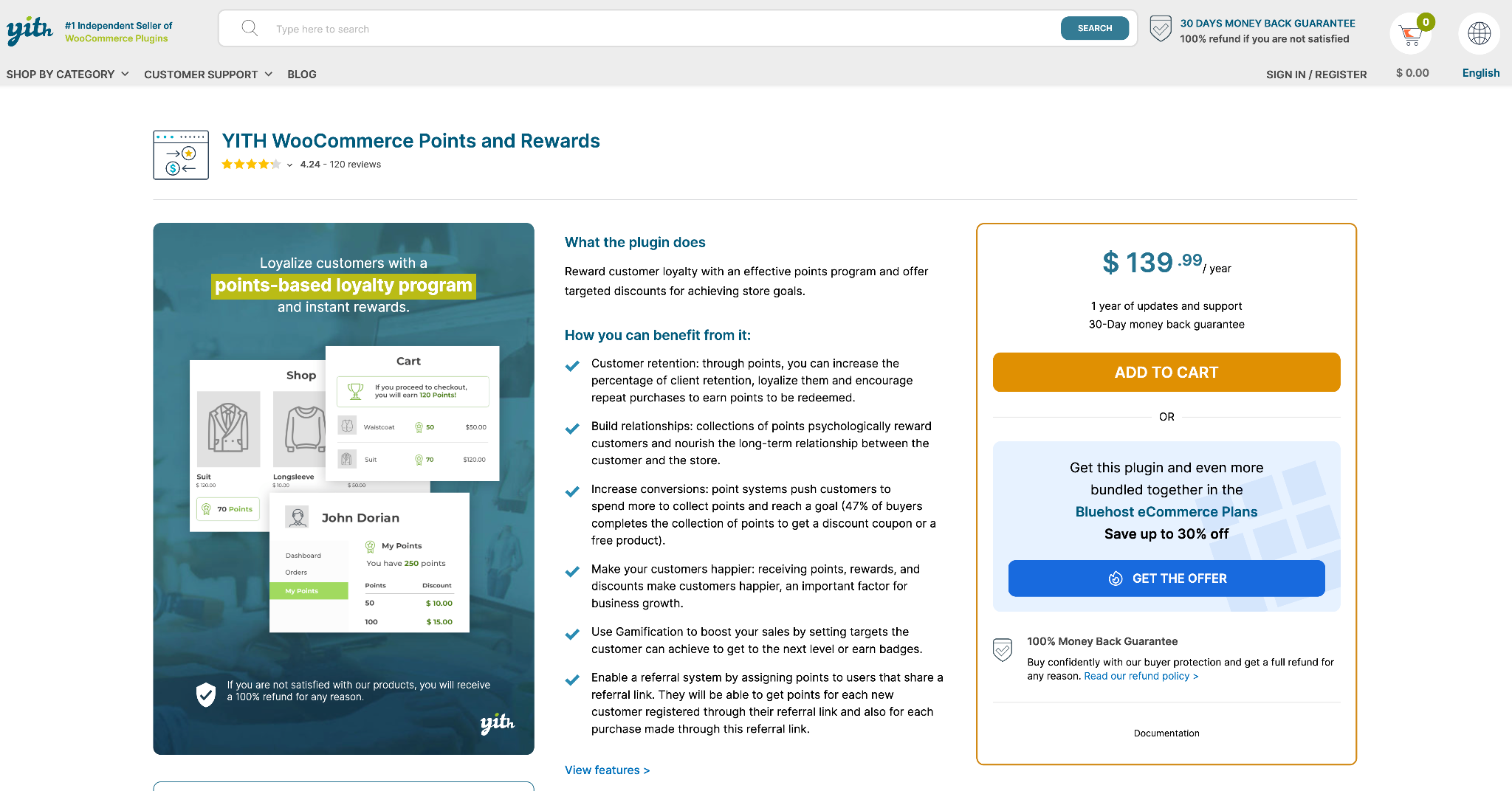
Customers can earn points for purchases, signups, reviews, referrals, birthdays, and other actions. Merchants can also create levels, badges, public rankings, and different earning or redemption rules by user role or membership tier.
That flexibility matters because not every customer group or product margin should be treated the same way.
YITH also lets stores offer rewards beyond product discounts, including free shipping. That gives merchants another way to encourage a repeat order without cutting product price.
Use YITH WooCommerce Points and Rewards if repeat purchase is the goal and you want loyalty rules that can flex by customer, action, reward type, or margin.
Best CRM Plugin for WooCommerce
Most WooCommerce stores collect plenty of order data. The problem is that order data does not automatically become a useful customer view.
You might know what someone bought, but not how often they buy, what they abandoned, which emails they clicked, whether sales followed up, or whether support already handled an issue. That is where a CRM starts to matter.
HubSpot is the strongest CRM pick for WooCommerce stores that need customer data to support more than basic order management.

The HubSpot for WooCommerce integration syncs customers, orders, products, and abandoned cart activity into HubSpot.
That means a purchase, abandoned cart, or repeat order can become part of the same contact record used for email marketing, segmentation, ads, automation workflows, and sales follow-up.
That matters once more than one team touches the customer relationship. Marketing can build better segments based on real purchase behavior. Sales can follow up with more context. Support can see order history without digging through WooCommerce first.
HubSpot is especially useful for stores where WooCommerce is not the only sales motion. If customers also come through quote requests, wholesale conversations, lead forms, sales calls, or service tickets, HubSpot gives those teams one shared place to work from instead of stitching together plugins, inboxes, and spreadsheets.
HubSpot’s free CRM covers the basics, but the marketing and sales automation features that make the integration most useful can get more expensive as your contact list and usage grow. If budget predictability matters more than a shared customer view, a simpler WordPress-native CRM may be enough.
Use HubSpot when WooCommerce data needs to support marketing automation, sales follow-up, customer reporting, or a shared view across teams.
Best Theme for WooCommerce
A theme’s job is to stay out of the way of your products and checkout flow. It is the skeleton underneath the site, and it is much harder to swap once a store is live.
Speed, mobile usability, and clean WooCommerce templates matter more than visual flair. A pretty theme is not much help if it slows down product pages or makes checkout harder to use.
Astra is the strongest pick for most WooCommerce stores because it is lightweight, flexible, and widely used.
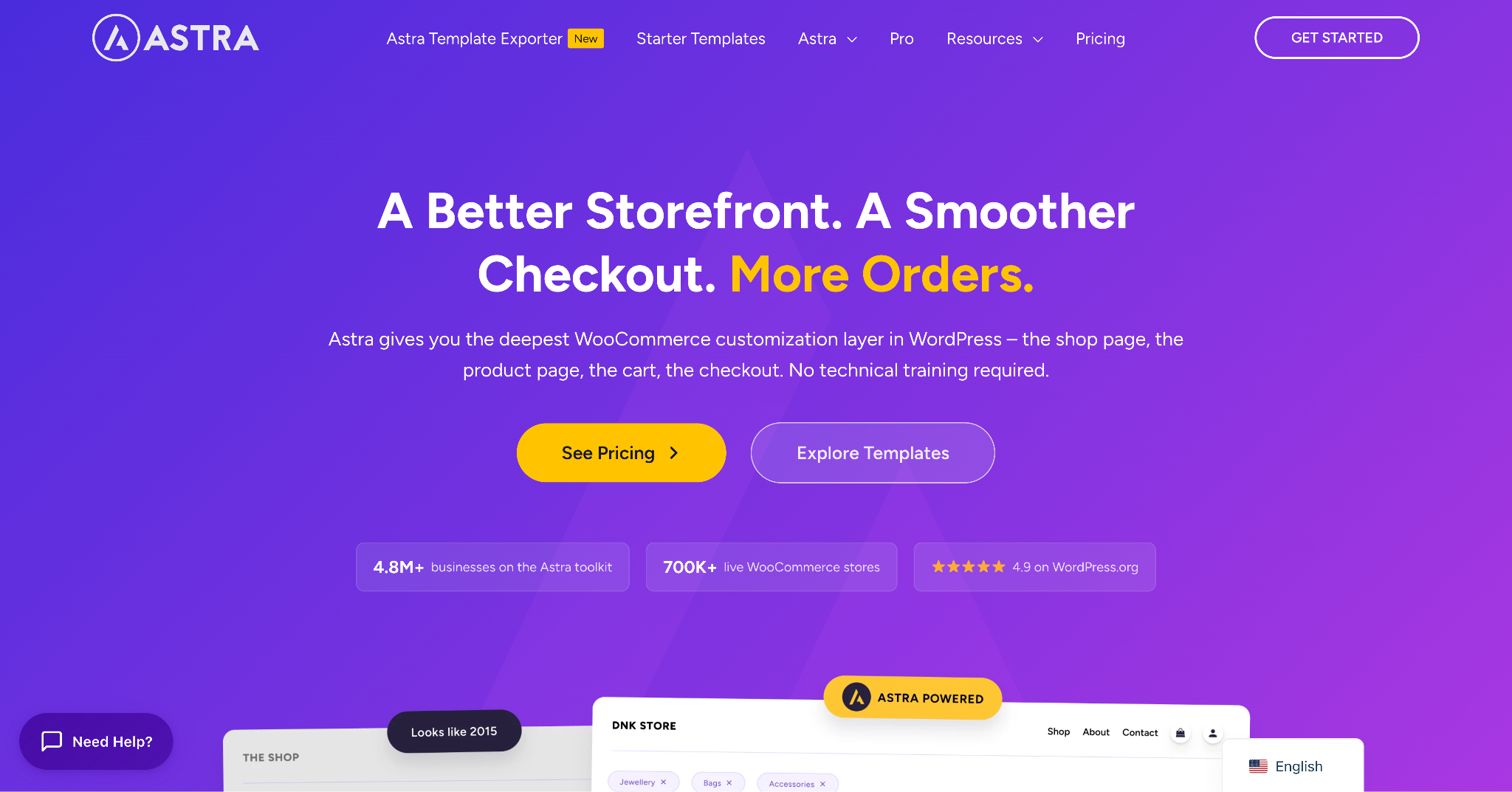
It is built by Brainstorm Force, the same team behind CartFlows, and it is one of the most widely adopted WordPress themes available. Its main advantage is that it stays light instead of forcing every store into a heavy built-in builder.
Astra also works with major page builders instead of locking merchants into one layout system. That matters if you rebuild the storefront later or switch tools as the site grows.
WooCommerce starter templates give stores a faster starting point without carrying the weight of an all-purpose theme trying to do everything at once.
Best SEO Plugin for WooCommerce
Organic search works best when your product pages, categories, and images are easy for search engines to understand.
That is simple enough on one page. The harder part is keeping it consistent across every product, category, and new item your team adds later.
Yoast SEO is the strongest pick for most WooCommerce stores because it brings structure to that process. It is one of the most widely used SEO plugins in WordPress, with real-time content analysis and readability checks that help catch basic issues before a page goes live.

The base plugin covers the usual SEO work: titles, meta descriptions, canonical URLs, breadcrumbs, XML sitemaps, and general on-page guidance.
The WooCommerce add-on is where it becomes more useful for stores. It adds ecommerce-specific SEO support, including product schema, richer product data, and structured information that helps search engines understand what you sell.
That matters because product pages are not blog posts. Search engines need details like price, availability, reviews, breadcrumbs, and product identifiers to understand the page properly and qualify it for richer results.
Best Referral Marketing Plugin for WooCommerce
A referral program is one of the few marketing channels where you pay after the result happens.
That only works if customers actually use it. The sharing, tracking, and reward process has to be simple enough that someone can recommend your store without thinking too hard about it.
ReferralCandy is the strongest pick for WooCommerce stores that want a referral program without building one from scratch.
It has been running referral programs for ecommerce stores for over a decade and connects to WooCommerce through its own plugin. Once it is set up, it can handle referral links, branded sharing pages, automated referral emails, and reward fulfillment.

Rewards can be discounts, cash, or gifts, so stores have some flexibility in how they motivate customers to share.
The main thing to watch is pricing. ReferralCandy is not really a cheap add-on. Plans include a monthly fee plus a success fee on referred sales, with lower percentage fees on higher tiers.
That can make sense once referrals are driving real incremental revenue. But run the numbers first. A referral program should create profitable and repeatable growth, not become another marketing cost that only looks good in theory.
Best Accounting Sync for WooCommerce
Manually matching WooCommerce orders to QuickBooks feels manageable at first. Then order volume picks up.
Suddenly, orders are in one place, payments are in another, fees live somewhere else, and taxes need to match before anyone can close the books.
MyWorks Sync for QuickBooks and WooCommerce is the strongest pick for stores that want WooCommerce and QuickBooks to stay aligned without manual cleanup.
It is listed on WooCommerce’s marketplace as the official QuickBooks extension for WooCommerce, and it connects WooCommerce with QuickBooks Online, QuickBooks Desktop, or QuickBooks POS.
The plugin can sync customers, orders, payments, products, inventory, taxes, fees, and other store data automatically. That is the real value. Your team is not relying on manual entry, recurring CSV exports, or end-of-month cleanup to understand what actually happened.
MyWorks also gives merchants control over how data maps between systems. That matters for stores with multiple payment methods, tax rules, inventory updates, custom fields, or accounting workflows that need each fee and order line to land in the right place.
There is a free tier, but it is built for lower order volume. As the store grows, paid tiers scale based on order count, so check the plan against your normal sales volume and your seasonal peaks.
Use MyWorks if WooCommerce and QuickBooks are both core systems, and manual reconciliation is starting to cost real time. It is not the flashiest plugin on the list, but it solves one of the most annoying ecommerce problems: keeping the books clean without babysitting every order.
How to Choose the Right WooCommerce Plugins for Your Store
You do not need every plugin on this list running on day one. Start with whatever is actually costing you money or time right now. For most stores, that is checkout friction, shipping accuracy, payment issues, manual bookkeeping, or weak repeat purchase behavior.
Find where you are actually losing money before you install anything new. Checkout abandonment, inaccurate shipping costs, low repeat purchase rate, poor review volume, and manual accounting cleanup all point to different problems. Pick the real leak, then pick the plugin.
Check integration depth, not just compatibility. A shipping plugin that only handles flat rates is not solving the same problem as one with carrier logic, freight rating, dimensional packing, delivery dates, and shipping rules, even if both technically say “WooCommerce compatible” on the listing page.
Do not stack plugins that do the same job. Two SEO plugins, two loyalty plugins, or two checkout field editors running at once usually create more conflicts than value. Pick one plugin per job, then move on to the next problem.
Final Thoughts
No single WooCommerce plugin fixes everything, and you do not need every category running at once. Start with whatever is costing you sales, margin, or time today.
Checkout friction and shipping accuracy are usually the highest-impact places to look first because they touch every order. From there, add the tools that solve the next real problem: cleaner payments, better email follow-up, stronger reviews, loyalty, CRM visibility, or accounting sync.
The best WooCommerce plugin stack is not the biggest one. It is the one that fixes the expensive problems without creating new ones.

FAQs
What is the best shipping plugin for WooCommerce?
ShipperHQ is a strong option for WooCommerce stores that need more control over carrier rates, delivery dates, shipping rules, dimensional packing, multi-origin shipping, or freight. It covers shipping logic that WooCommerce’s native settings do not support on their own.
Can WooCommerce’s native shipping settings handle multiple warehouses?
Not well. WooCommerce’s core settings are not built for true multi-origin checkout rating, where rates change based on which warehouse, dropshipper, or fulfillment location actually ships the order. Multi-origin routing, warehouse-specific rate rules, and freight logic usually require a dedicated shipping plugin.
What is the main cause of WooCommerce cart abandonment?
Unexpected costs shown late in checkout are one of the biggest reasons shoppers abandon carts. Shipping, taxes, and fees can all create friction if the final price feels different from what the shopper expected. That is why accurate shipping rates and clear checkout options matter.
How many plugins does a WooCommerce store actually need?
Fewer than most people think. A focused stack covering checkout, payments, shipping, SEO, reviews, email, and one or two retention tools usually beats a store running a dozen overlapping plugins. Too many active plugins can slow the site down, complicate testing, and create conflicting code.
Do paid WooCommerce plugins perform better than free ones?
Not automatically. Several strong WooCommerce tools have useful free tiers or free versions, including Astra and some email, SEO, and review tools. The real question is whether the plugin solves a specific problem you actually have, not whether it costs money.
Should a growing WooCommerce store switch shipping, CRM, or accounting tools as it scales?
Often, yes, but the goal is to avoid switching more than necessary. Tools built for more detailed operations, like ShipperHQ for shipping, HubSpot for CRM, and MyWorks for QuickBooks sync, can be worth choosing before the problem gets painful. Migrating shipping rules, customer data, or accounting workflows later is usually more disruptive than swapping a lightweight front-end plugin.
Can I run multiple WooCommerce plugins together without conflicts?
Usually, yes, as long as each plugin owns a distinct job. A checkout plugin, shipping plugin, email tool, review plugin, and accounting sync can run side by side when they are not trying to control the same part of the store. Problems usually start when multiple plugins try to manage the same thing, like two SEO plugins controlling schema and sitemaps, or two checkout plugins editing the same fields.
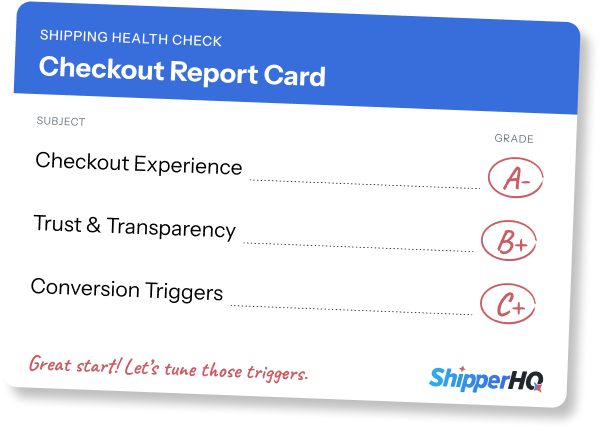
What’s Your Checkout’s Score?
Run a free Shipping Health Check to see what’s working, what to tune, and where you can win more sales.