



The Delivery Solution That Drives Conversions
ShipperHQ gives you full control over couriers, rates, and delivery options – creating a personalised, Amazon-like checkout experience that converts more shoppers.
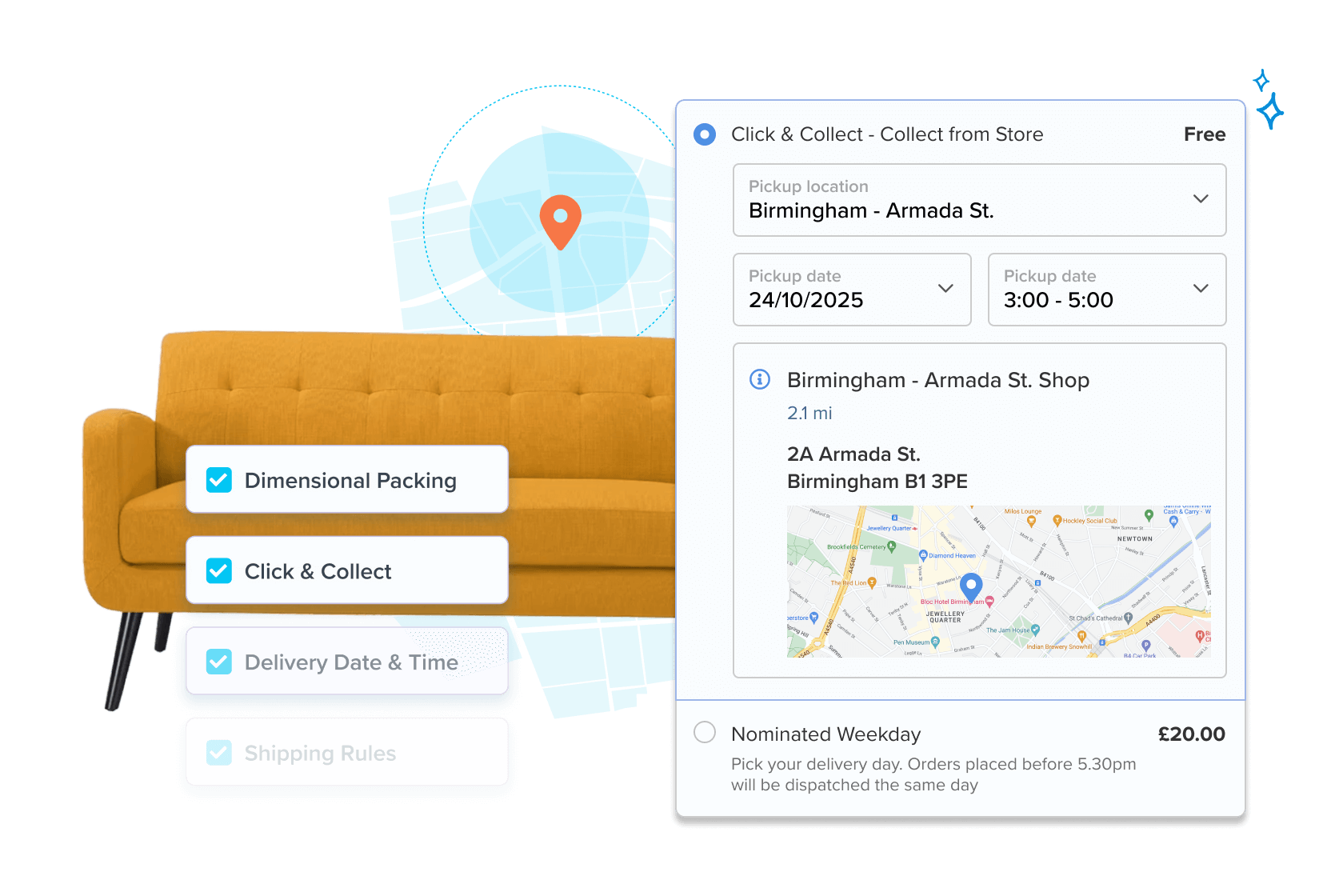
Your Couriers, Your Rates, Your Rules
ShipperHQ’s custom table rates give you unmatched control over delivery options and pricing – far beyond what native platforms or standard tools offer.
 Add rates from Royal Mail, DPD, Tuffnells, or any other courier services to your checkout page.
- Customise how rates and delivery options appear based on destination, product, price, quantity, weight or customer group.
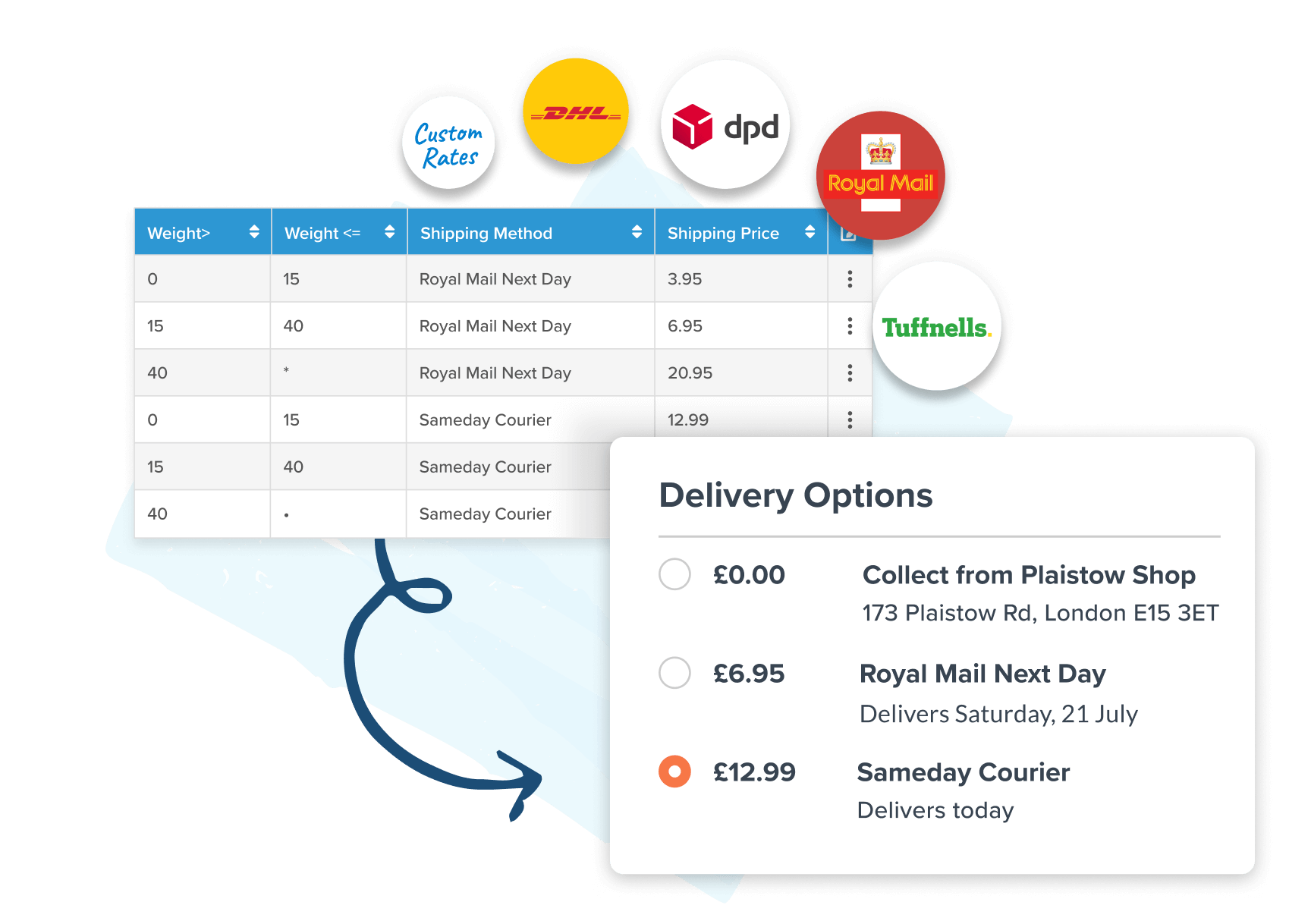
Control Options for Any Basket & Destination
Create the delivery experience your shoppers expect – with rates and options proven to boost conversions by up to 50%
- Add discounts or surcharges, offer free delivery, or hide specific delivery options based on product type, basket total, quantity, destination and more.
- Show the right delivery options for any scenario – no matter what’s in the basket or where it’s going.
 Factor in multiple warehouses, different couriers, regulations, and delivery logic to align your checkout with your actual fulfilment operations.
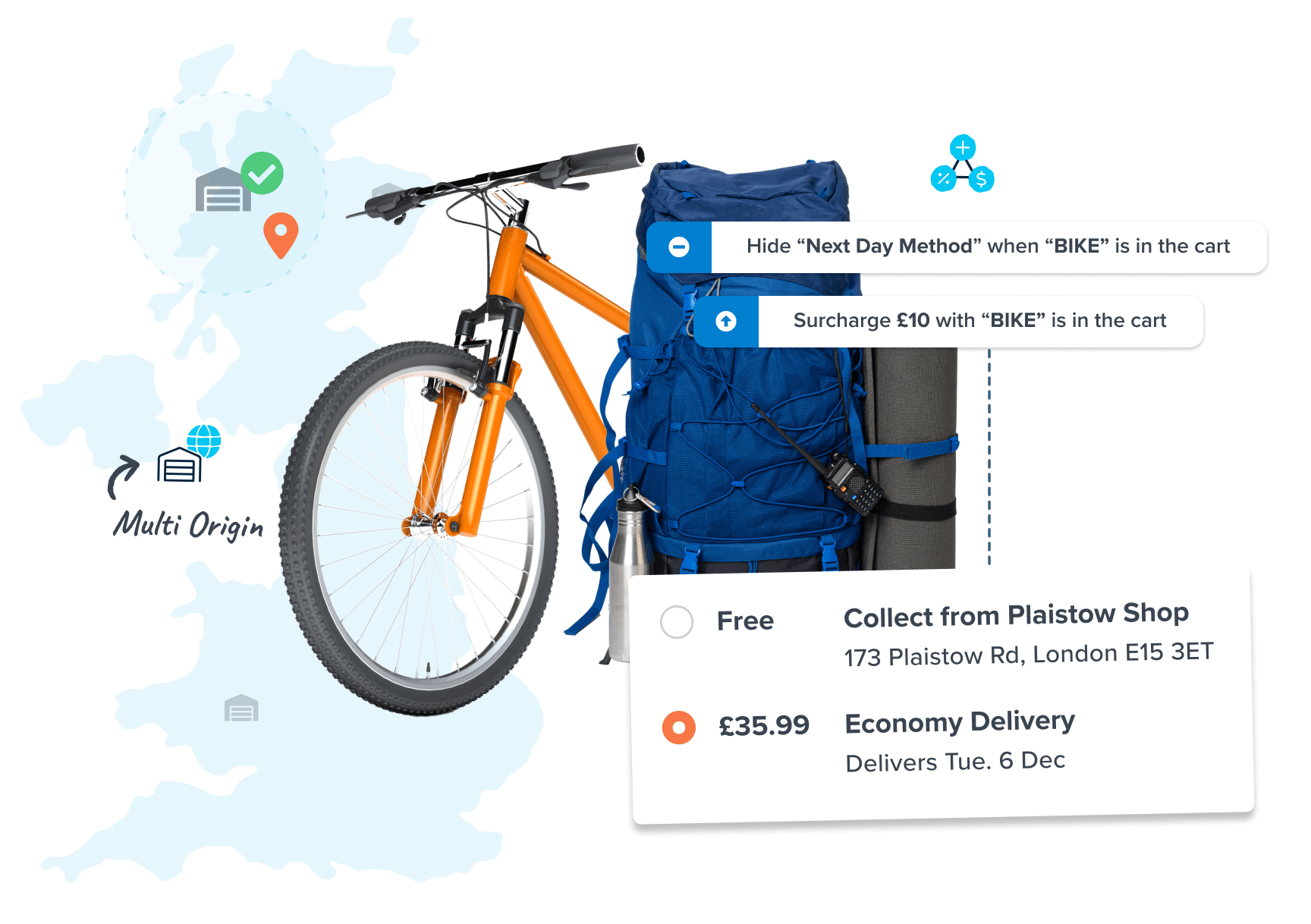
Delivery Methods & Dates That Convert
Shoppers expect fast or free delivery – and they want to know when their order will arrive. Win more sales by showing exact delivery dates at checkout.
- Set blackout dates to account for holidays and closures.
- Set lead days and cutoff times by origin, delivery method, or product type.
- Allow customers to choose their preferred delivery date.
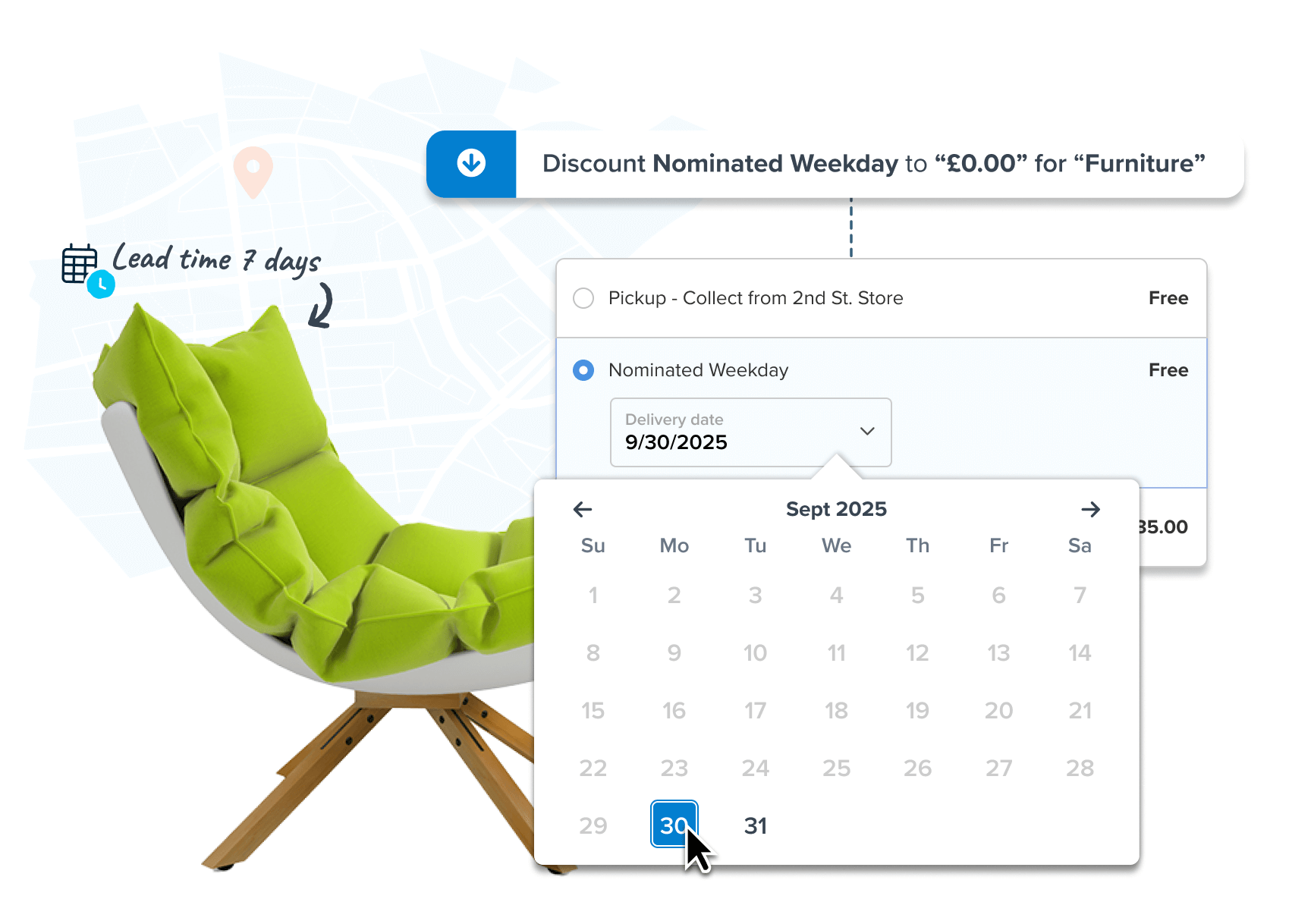
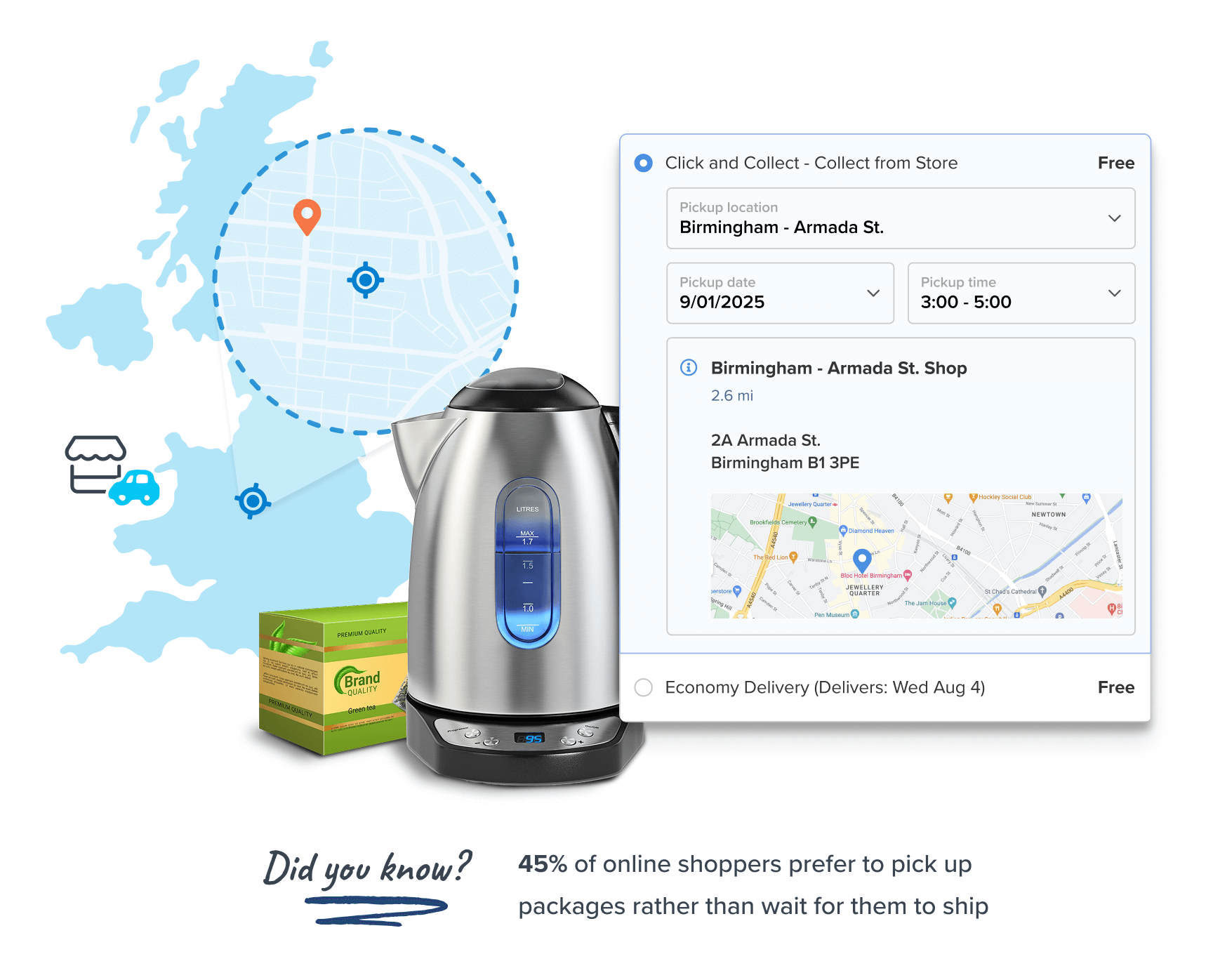
Sell More, Save More with Click & Collect
Shoppers expect fast or free delivery – and they want to know when their order will arrive. Win more sales by showing exact delivery dates at checkout.
- Reduce basket abandonment and recover lost sales with a convenient, cost-effective delivery option.
- Show multiple Click & Collect locations or limit collection points based on distance.
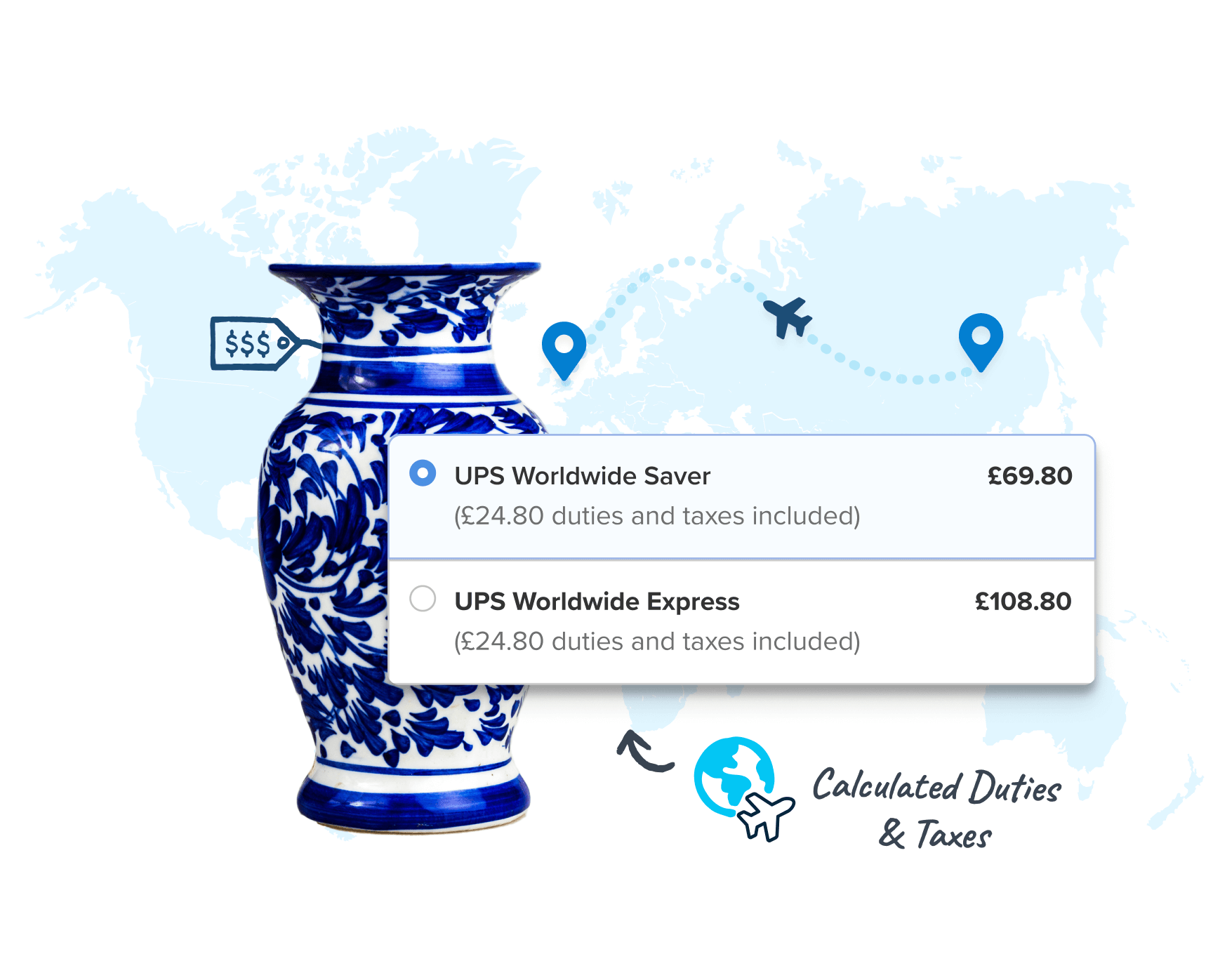
Show Accurate Customs and Import Fees at Checkout
Prevent unexpected import charges and improve customer experience with our Duties & Taxes feature.
- Comply better with UK and EU customs, import fees, and delivery regulations.
- Use it with any carrier that delivers internationally.
- Add a customs surcharge as a flat rate or percentage, directly at the checkout page.
Unmatched Control with Custom Table Rates
Customise how rates and delivery options are displayed according to any combination of filters.

Capture More Sales with
Click & Collect
Offer convenience by giving shoppers the option to collect their goods in person.

Automate Rating from
Multiple Warehouses
Deliver from multiple warehouses, dropshippers, or retail sites. Define rules to control where items are sent from and how orders are rated.

Get Precise Costs with Volumetric Pricing
Pack and rate products based on size, using custom box sizes and packing rules, so you can show precise rates.

Show Duties, Customs & Import Fees at Checkout
Show real-time duties & import charges in advance. Easily add a surcharge to cover cross-border delivery costs.

Show Customers Accurate Delivery Dates
Display clear delivery dates to boost conversions, or let customers choose a date that suits them best.
"Thanks to ShipperHQ, we can give our customers better shipping options. And rates that make sense for what they are buying"
—Ansley Peet, Ecommerce Director

"We have used ShipperHQ for several years now. Recently we re-platformed from Magento to BigCommerce, and the team at ShipperHQ made the transition seamless."
—Richard Kirby, Systems Process Manager

"We analyzed the market of shipping calculation solutions. Honestly ShipperHQ was the only choice that could handle our massive and complex freight calculation demands."
—Helene Übelhack, Head of Marketing

"Nothing comes close if you want complete control over your shipping options!"

Trusted by 6,000+ eCommerce Brands Across 150+ Countries











Learn How to Turn Delivery into Your Competitive Advantage
Reach out and talk to a delivery expert today. We can help answer questions and show you how ShipperHQ creates a delivery experience that satisfies shoppers, improves margins, and drives conversions.











FAQs
How can I connect my UK carriers to ShipperHQ?
ShipperHQ gives you the power to customize how carrier pricing works for your UK delivery setup. You can use table rates to configure your own pricing for carriers like Royal Mail, DPD, and any other provider you work with, based on weight, order value, destination, or product type. Or you can connect UPS, FedEx, and DHL Express for live rates pulled directly from your negotiated accounts at checkout.
You can use either approach or combine both so customers see a mix of merchant-defined and real-time carrier options in the same checkout experience.
Carriers ShipperHQ supportsHow do I configure postcode-specific surcharges for higher-cost regions like the Scottish Highlands?
Yes. ShipperHQ lets you set different delivery rates by UK postcode zone. You can add a surcharge for high-cost regions like the Scottish Highlands, Northern Ireland, the Channel Islands, and the Isle of Man, while keeping standard rates for everywhere else.
You can upload all your postcode zones and their surcharges via CSV for quick bulk setup. Zones can be combined with conditions like weight or order value to fine-tune your rules further.
How do I prevent undercharging on volumetric pricing for bulky items?
ShipperHQ calculates volumetric pricing at checkout using your configured box sizes and packing rules, ensuring courier charges reflect dimensional weight rather than actual weight alone.
The Dimensional Packing feature determines how items fit into your boxes, applies your volumetric divisor (typically 5,000 for UK couriers using cm and kg), and sends the correct weight to carriers or table rate lookups. This prevents undercharging on bulky, low-weight items like packaging materials, garden furniture, or large-format prints.
You can define packing rules for items that must ship in a fixed box, flag products to ship separately, and trigger surcharges automatically when an order packs into an oversized box. Dimensional Packing works with both table rate carriers and live-rate carriers like UPS, FedEx, and DHL.
Dimensional packing in ShipperHQHow do I show accurate delivery dates based on my dispatch cutoffs and UK bank holidays?
With ShipperHQ, you can display accurate delivery dates at checkout by factoring in dispatch cutoff times, lead days, carrier transit times, and non-operational days.
You can set same-day dispatch cutoffs per warehouse, configure UK bank holidays and closure periods as non-operational dates, and assign longer lead times to specific products. Delivery dates shown at checkout always reflect your actual logistics constraints.
Delivery Date and Time is an advanced feature available across all supported platforms.
How do I display UK and EU customs duties and import fees for post-Brexit shipping?
ShipperHQ displays UK and EU customs duties and import fees at checkout by calculating full landed cost in real time, covering over 200+ countries.
For UK merchants selling into the EU post-Brexit, these du includes VAT, duties, and import fees based on product HS codes, destination country, and order value. You can choose between DDP (Delivered Duty Paid), where duties and taxes are collected at checkout so customers pay nothing on delivery, or DDU (Delivered Duty Unpaid), where duties are shown as an estimate with payment collected by the carrier at delivery.
The duties and taxes feature is carrier-agnostic, working with DPD, UPS, FedEx, DHL, and any other international carrier, and updates automatically as tariff rules change.
How do I show different delivery options based on basket contents or VIP customer status?
ShipperHQ uses shipping rules to control which delivery options appear at checkout based on basket contents, destination, order value, product type, and customer group.
By customer type, you can show different delivery methods, rates, or thresholds for specific customer groups such as trade, wholesale, or VIP customers. By basket contents, you can hide express delivery for oversized items, offer free shipping above a threshold, or restrict methods to certain product categories. Conditions can be combined with destination zones, for example adding a surcharge for heavy items shipping to the Scottish Highlands.
Shipping rules in ShipperHQHow do I offer Click and Collect or Ship-to-Store for my UK brand?
ShipperHQ supports Click and Collect via the In-Store Pickup feature, letting UK merchants offer collections from one or multiple locations at checkout.
You can show all locations, only the nearest, or filter by distance radius from the customer's postcode. Store hours can be displayed to set collection expectations. For merchants shipping products to a collection point rather than holding stock there, Ship-to-Store is also available.