

The chances are good that you haven’t made it to April 2026 without having tried AI. Claude and ChatGPT consistently make the news, and Gemini is everywhere. Maybe you’ve toyed around with it, or put it to work responding to emails, or perhaps you’re even avoiding it altogether.
Whether you love AI, or you’ve merely come to accept it as an inevitability, it’s worth understanding what these tools really are under the hood. Not only will you get better at using them, it’ll make you less susceptible to sales and marketing hype– and alternatively, know when you really should feel hyped! After all, for ecommerce merchants especially, there are several really useful applications already, and even more will emerge in the coming months.
LLMs: Responses that look like answers
In the tech industry, AI usage focuses very heavily on large language models, aka LLMs. It's the technology underneath ChatGPT, Claude, Gemini, and most of the AI assistants you've encountered.
Did you ever have a classmate in school who never read the actual assignment, but knew exactly how to answer questions in a way that impressed the teacher? Well, that’s LLMs.
An LLM has processed an enormous amount of text — books, documentation, forum threads, blog posts — and learned the patterns in it. When you ask it something, it's drawing on all of that text to construct a response that fits your query. At a basic level, it’s not looking things up or running calculations. Rather, it's pattern-matching at a scale that produces something that looks (and hopefully is) actually useful.
It's good at reasoning through logic — for example, walking through why a shipping rule might not be firing the way you expect — because it's absorbed a lot of examples of that kind of thinking. It's also why it can get things confidently wrong: it's producing a plausible response, not a verified one. (More on that later!)
There are a few things that are helpful to know if you’re going to use LLMs in your daily life, or to help run your business. These aren’t trade secrets, but also aren’t always clear to users up front. So read on to understand how to help your LLM help you.
What’s a model, and why does that matter? (Hint: money)
Throughout this post, we’ll talk about LLM models. The model can be thought of as which version of the LLM you’re using. Different models have different purposes, strengths, and limitations.
For example, as of this writing, Claude has 3 primary models: Haiku, Sonnet, and Opus. These models offer speedy, resource-efficient responses on one end, or complex, high-reasoning (and resource-heavy) responses at the other. Gemini calls theirs, more straightforwardly, Fast, Thinking, and Pro. Outside of LLMs, Gemini offers other AI models like Nano Banana for images or Veo for videos.
The model matters! An AI model’s resource usage directly impacts your wallet. AI usage is measured in tokens (units of data), and higher reasoning and output uses more data. While you could ask Sonnet to compose a poem about your cat in iambic pentameter, it’s probably not the best use of your money.
A People Pleaser by nature
LLMs are like the new employee who really wants to impress on day one. They'll give you a made-up answer before they'll admit they don't have one. This is a side-effect of their training process — they're trained on human feedback, and confident, helpful-sounding responses score better than "I'm not sure." Over time, the model learns that generating something plausible nets happier users than, well, accurate responses. Researchers call this sycophancy.
It won’t remember you (very well)
As a general rule, LLM does not remember you from one chat to the next. (Big asterisk as this is changing rapidly across models – but for now, roll with this.)
For example, if you work within one chat and share your store, your historical orders, your shipping logs within that chat – your next chat will have no memory of that and you’ll need to start fresh. Every session is a blank slate.
One way around this limitation is the use of projects (Claude), custom GPTs (ChatGPT), or Gems (Gemini). These allow you to share a single set of instructions and reference data across multiple chats. However, the contents of those chats are still limited to that chat – you can’t reliably say “Remember yesterday’s chat when we talked about…?” and expect it to fetch that data, even within a project/custom GPT.

Even the conversation has a memory limit
Have you ever had a conversation with a 6 year old? The longer you talk to them, the less likely they are to remember the things you said at the beginning of the conversation. LLMs are like that, too!
Even within a single conversation, an LLM isn't holding onto everything equally. It works within what's called a context window — the total amount of text it can "see" at once, including everything you've written and everything it's responded with. Earlier parts of a long conversation can effectively fall out of view. And, as mentioned, when you start a new session, that window resets completely.
This is why giving the model good context (in the form of great starter prompts and relevant attachments) is so important. The more precisely you frame what you need, the more of that limited window is working on your actual problem.
Here’s a sneaky pro-tip – if you realize the chat has gone on for a while, or you’re starting to see degraded responses, you can ask your current chat for a hand-off document and start the next chat with that. You can also be efficient with your context window by using “skills,” which we’ll cover in a future post.
Why you have to spoon-feed it
In its out-of-the-box state, an LLM relies solely on the text (the internet articles, books, etc) that it was trained on (its “training data”). However, that training data doesn’t update itself. This is where “models” come in – each new LLM model gets equipped with newer and different types of training data.
For example, when ChatGPT 3.5 came out in November 2022, it had training data with a cutoff data of January 2022. If you asked it a question, it could only answer based on its data from earlier that year. In comparison, the current model (GPT-5 series, as of March 2026) is trained on data from up to August 2025.
So let’s say you launched your store on December 1, 2025, and want to use ChatGPT-5 to ask about it? Unless you want hallucinated results, you’ll need to supply some additional information.
Here’s the good news – LLMs aren’t limited to their training data! This is where other tools come in. LLMs can be connected to web searches, file storage (such as Google Drive), and assorted software. And of course, you can copy/paste and upload files.
Without these connections, the LLM may be able to function as a general language generation tool (“how can I respond to my mother-in-law’s text politely?”), but to really use it to your advantage, you’ll want to make sure each chat has exactly what you need.

What to feed your LLM
The art of a good prompt deserves its own post, but on the topic of what you can upload into a chat or a project/customGPT, LLMs can consume all sorts of things.
The most obvious use case is text – LLMs can consume copy/pasted text of any kind, as well as attached files like Word or Google Docs, PDFs, or basic spreadsheets like CSV files.
When it comes to more complex spreadsheets, like an Excel file, you start to see variation between models. Some models can read complex spreadsheets without degraded performance, and others can even run calculations based on the data. Regardless of models, be aware that the LLM will only see the values, not the formulas. Heavy formatting, pivot tables, and large spreadsheets might cause data extraction issues.
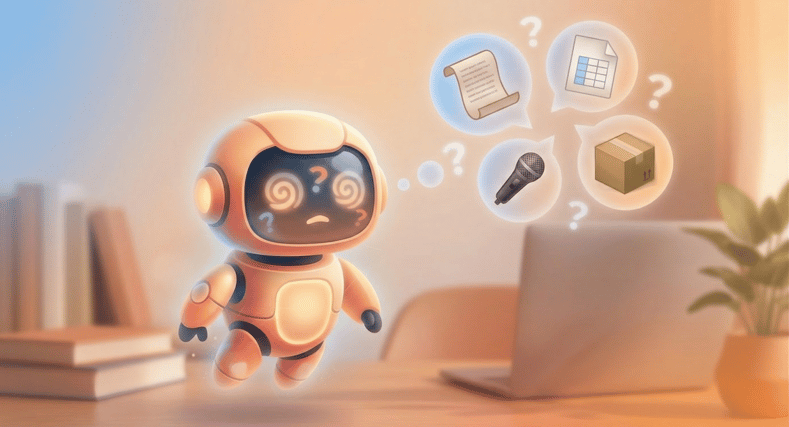
As for media, most current models can “read” both audio and video, and automatically generate or extract a transcript. Current major models (Claude, ChatGPT-4o, Gemini) can all read text in screenshots and images — so a screenshot of an error message, a shipping configuration screen, or handwritten notes are all fair game. They can also describe and reason about charts, diagrams, and photos. However, they can’t reliably extract structured data from an image — like a photo of a spreadsheet. They'll get the gist but may miss details or misread values.
Most models can also take URLs as input. However, this is where you might run into complications. LLMs fetch a website in a similar way to search engine crawlers, so for an LLM to “see” a website, the website must be publicly accessible (not gated or password protected) and must allow crawlers. Some websites even specifically block AI crawlers.
As you practice using your LLM, try uploading different types of information to test its abilities and limits. But something to keep in mind – you’ll need to start fresh with each chat.
Hallucinations and how to avoid them
You may have seen horror stories about companies relying on AI-generated data for critical decisions, only to discover later that the information was entirely fabricated.
To go back to “how LLMs work,” they are created to generate words based on pattern matching. The more context you provide, the more they will align their patterns and reasoning with actual data. However, there is still a risk that the resulting content is a bad match – in other words, it hallucinates.
A comparison that might help this click – you’ve likely seen AI-generated images of a person, animal, or a building that looks fine at first glance, but you start to notice a few issues the longer you look. The AI tool has been trained on patterns of humans, dogs, and houses, but lacks an inherent “understanding” of them, and creates something that seems right to it based on the pattern, but doesn’t match the reality. The same can happen with AI-generated content – ultimately, it’s something designed to look like data – it’s not necessarily aligned with the real thing.
So how can you limit hallucinations? There are a few ways.
Choose wisely. Not all AI assistants and models are equally prone to hallucinations. Some models are more conservative and will provide an “I don’t know” response instead of trying to fill in the blanks. Do some research to see which tool is the best fit for how you intend to use it.
Prompt carefully. You can shape the behavior through your prompt and instructions. Be explicit with what you’re trying to achieve, and provide guardrails. If accuracy matters more than creativity, say so. You can instruct it to cite sources or provide links when it makes factual claims – although be prepared to spot-check those, since they can also be hallucinated. You can even tell it outright: “If you’re not sure, say so. Don’t guess.” (The AI won’t tell you it’s guessing!)
Provide context. More context generally means fewer hallucinations, because you’ve provided real data for the model to work with. This can be PDFs, spreadsheets, webpages, writing samples.
But wait, there’s more!
Humans also have a limited context window, so this blog post will end here. But hopefully you’ve taken away this key concept: what you put into your LLM will determine what you get out of it.
The LLM is just the first piece. When you start connecting it to your tools, your data, and the systems you use, that’s when things will get really interesting. Stay tuned!