Shipping is the last step before a customer hits that “Place Order” button. It’s also one of the biggest deal-breakers.
Shoppers expect shipping to be fast, affordable, and clear. Hit them with unexpected fees or vague delivery estimates, and they’re gone.
48% of online shoppers abandon their carts because of extra charges like shipping fees and taxes. That’s almost half of your potential sales slipping away.
For merchants with complex catalogs, multiple fulfillment locations, LTL freight, or advanced rate logic, ShipperHQ is built to handle those scenarios.
In this guide, we’ll cover how to calculate accurate real-time shipping rates, protect your margins, build customer trust, and increase sales using the right shipping app for your Shopify store.
TLDR: Shipping costs can make or break your Shopify store’s success. Overcharging leads to cart abandonment. Undercharging eats into your profits.
A smart Shopify shipping app calculates accurate rates by factoring in dimensional weight, shipping zones, carrier rate shopping, fulfillment origin, and delivery dates.
ShipperHQ helps Shopify merchants show live carrier rates, manage multi-origin shipping, quote LTL freight, automate rate shopping, display delivery dates, and apply advanced shipping rules at checkout.
A Shopify shipping rates app helps calculate and display shipping costs at checkout. Basic apps may show simple flat rates or carrier-calculated rates. More advanced apps can apply custom shipping rules, compare carriers, account for product dimensions, manage multiple fulfillment origins, show delivery dates, and support freight or international shipping workflows.
The goal is simple: show shoppers accurate shipping options before they place an order, without overcharging customers or undercharging for fulfillment.
Shopify’s built-in shipping tools can work well for simple stores with straightforward products, one fulfillment location, and basic rate rules. But once your shipping gets more complex, native settings may not give you enough control.
A dedicated Shopify shipping app is usually a better fit if you need to:
Accurate shipping rates might seem like a small detail, but they play a huge role in your Shopify store’s success. Incorrect shipping costs – whether too high or too low – can directly hurt your business.
A powerful shipping app solves these challenges by fetching real-time rates from carriers, applying custom shipping rules, accounting for product and fulfillment complexity, and ensuring accurate checkout pricing.
Let’s explore the key components of a shipping app that help you calculate accurate shipping rates and optimize conversions.
The best Shopify shipping app depends on how your store actually ships. Before choosing one, look for features that match your catalog, fulfillment model, and checkout goals.
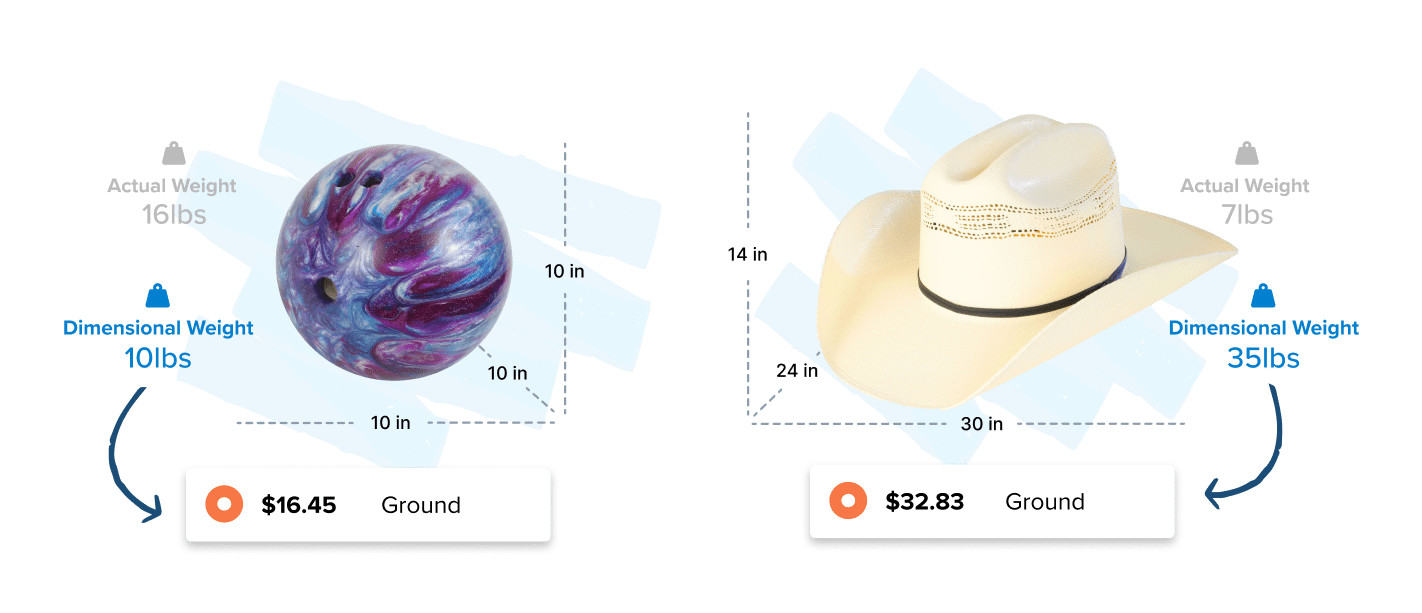
Have you ever wondered why carriers sometimes charge more for large, lightweight boxes than smaller, heavier ones? This is because of dimensional (DIM) weight pricing. DIM weight considers the size of the package, not just the weight.
Imagine you sell fluffy pillows on your Shopify store. They’re light but take up lots of space. If you charge based on weight alone, you’ll underestimate shipping costs and lose money. Accurate DIM weight calculation ensures you always charge the right shipping cost.
A strong Shopify shipping rates app should do more than look at item weight. It should account for the package size, box selection, and carrier rating logic so the price shown at checkout reflects what you are likely to pay.
Best practices for setting up DIM weight-based rates:
For Shopify merchants with bulky, fragile, lightweight, or multi-item orders, dimensional packing can be the difference between protecting margin and quietly bleeding profit on every shipment.
Carriers charge shipping rates based on zones, which represent the distance between your shipping origin and the destination. The farther the package travels, the more expensive the delivery usually becomes.
For example:
Zone-based shipping matters because not every customer should see the same shipping rate. A shopper near your warehouse may qualify for lower-cost ground shipping, local delivery, or free shipping. A shopper across the country may need a different rate, method, or threshold to protect your margins.
How custom shipping rules improve accuracy:
For Shopify stores, this is where smart shipping rules start to earn their keep. You can create checkout logic that adapts to where the customer is, not just what they bought.
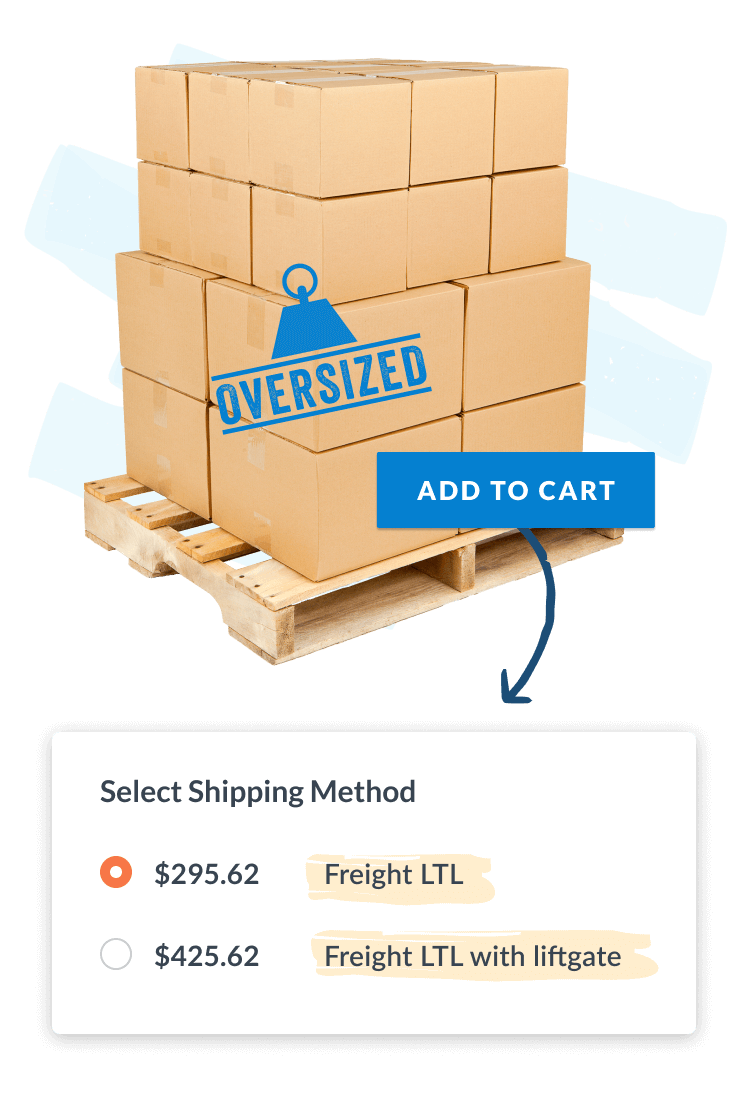
For Shopify merchants selling furniture, gym equipment, automotive parts, building materials, or heavy machinery, LTL freight shipping is a must. It allows multiple shippers to share truck space, which can reduce costs compared to dedicated freight.
However, calculating LTL freight rates can feel complicated. Hidden fees, inaccurate quotes, accessorials, liftgate needs, residential delivery, and fluctuating prices make this tricky.
Basic Shopify shipping setups often break down when orders move beyond parcel shipping. If a customer is buying a large or heavy item, you need freight-ready logic that can quote the right service at the right time.
How real-time LTL freight quotes help merchants:
For merchants selling products that do not fit neatly into small boxes, LTL support is not a nice-to-have. It is what keeps checkout from becoming a quote-request dead end.
For businesses with multiple warehouses, store options, dropship vendors, or third-party logistics (3PL) partners, shipping from the nearest or most logical location saves time and money.
Shipping rates get complicated when your store ships from multiple locations. If a customer orders items stocked in different warehouses, your shipping app should accurately split orders, calculate separate shipping rates, and present one clear total at checkout.
Without multi-origin logic, you may show rates based on the wrong warehouse, undercharge for split shipments, or offer delivery options that your fulfillment team cannot actually support.
How the right app finds the best rates:
Multi-origin shipping is especially useful for Shopify merchants scaling beyond a single warehouse. It lets your checkout reflect how your operations actually work, instead of forcing every order through one generic rate table.
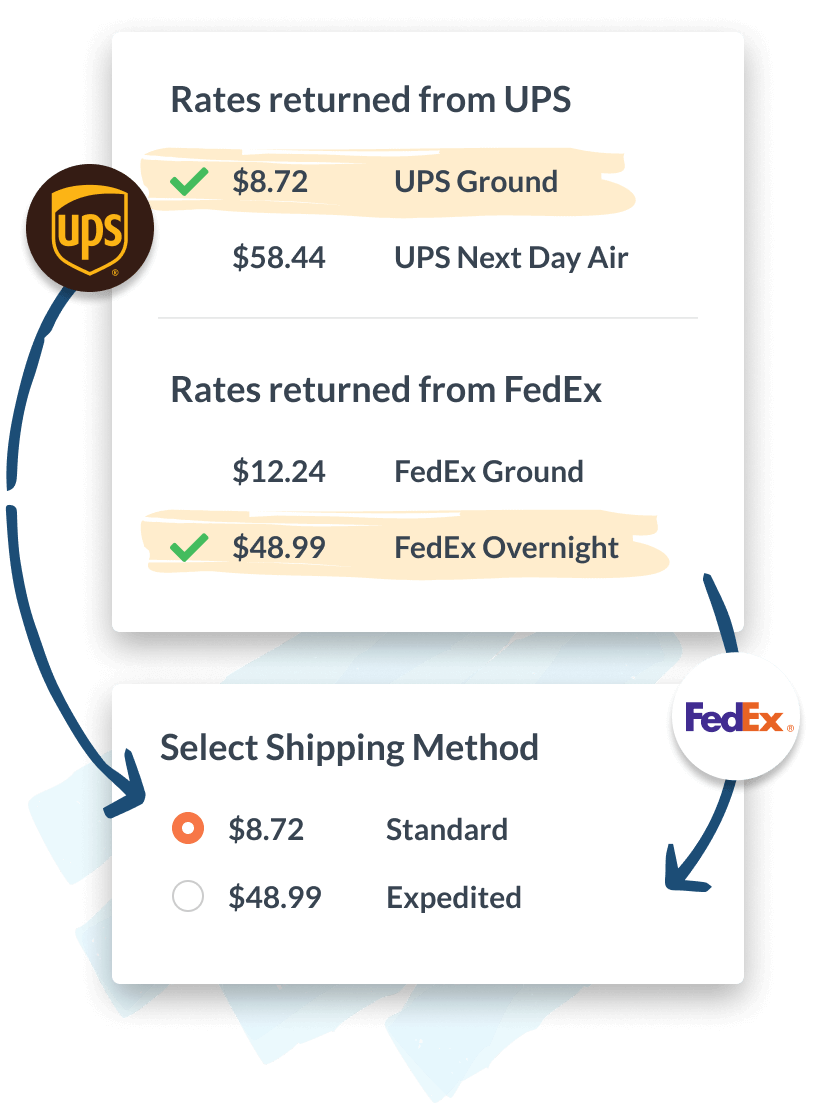
Just like how you compare prices when shopping for a new gadget online, your Shopify store can benefit from comparing shipping rates from different carriers.
Rate shopping means automatically comparing real-time rates from multiple carriers to find the most affordable or most relevant shipping options. This ensures customers get transparent choices, while merchants stay in control of cost and margin.
Rate shopping is not only about showing the lowest possible price. Sometimes the best option is the fastest service, the most reliable carrier, the best method for a certain product, or the option that aligns with your negotiated rates.
How merchants benefit by comparing shipping rates:
Carrier rate shopping gives Shopify merchants more flexibility at checkout. Instead of forcing every order through one default method, you can show the options that make sense for that cart, customer, and destination.
Accurate shipping rates help customers understand cost. Accurate delivery dates help them understand timing. You need both to create a checkout experience shoppers trust.
Instead of showing vague options like “Ground Shipping” or “3-5 business days,” a stronger Shopify shipping app can show estimated delivery dates based on carrier transit time, lead time, cutoff times, blackout dates, and fulfillment location.
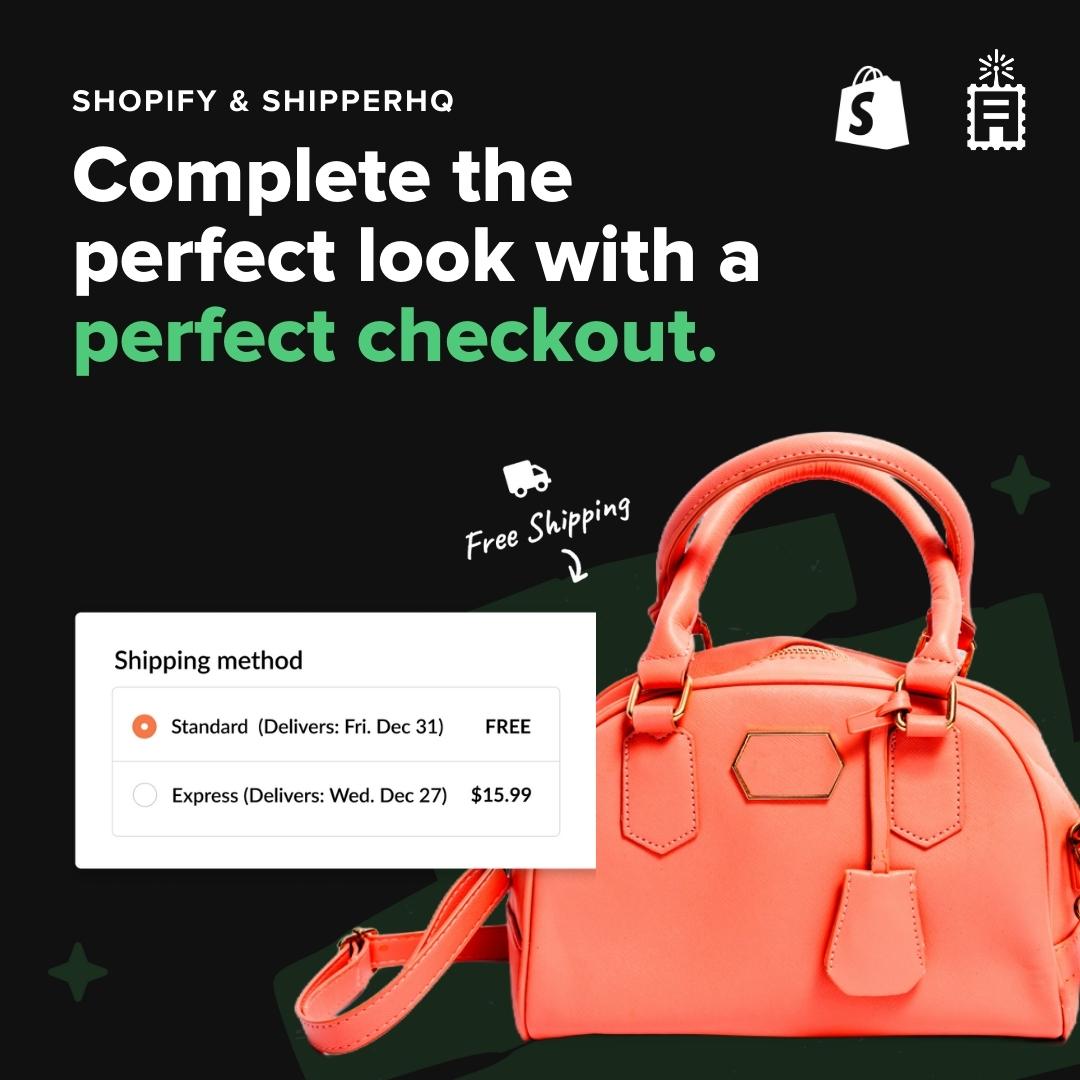
That makes it easier for customers to choose the right option and easier for merchants to set expectations before the order is placed. A shopper deciding between free ground shipping and paid express delivery is more likely to upgrade when they can see exactly what the faster option gets them.
Delivery dates also reduce support pressure. When customers know when an order should arrive before they buy, they are less likely to contact your team asking where the order is or whether it will arrive in time.
If you’re serious about reducing shipping costs, improving checkout conversions, and boosting customer satisfaction, you need more than just a basic shipping setup. A powerful Shopify shipping app ensures that every order gets the best shipping options based on size, weight, location, carrier availability, fulfillment origin, and delivery expectations.
This is exactly why ShipperHQ stands out as the best shipping app for Shopify stores. Trusted by thousands of merchants, ShipperHQ tackles all the challenges we’ve covered above. It allows you to:
Accurate shipping rates are far more than just numbers at checkout – they’re crucial to your Shopify store’s overall success. By precisely calculating shipping rates, you avoid the pitfalls of overcharging or undercharging, reduce cart abandonment, and protect your profit margins.
And when you pair accurate rates with delivery dates, packaging logic, freight support, and custom rules, shipping becomes more than a cost center. It becomes part of your conversion strategy.
Ready to optimize your Shopify store’s shipping and checkout experience? Install the ShipperHQ app and start your free trial.